Coresignal Alternatives
7 Top Coresignal Alternatives for API‑First Contact Enrichment
Compare 7 Coresignal alternatives that give Product and Ops teams live, API‑first people data to power contact enrichment in SaaS products and CRMs, without owning the data plumbing.
Coresignal Alternatives

Coresignal is a popular B2B data provider offering large-scale company and people datasets via API and flat files for enrichment and analytics.
However, its data still behaves like a static database, requiring extra cleanup, custom pipelines, and coping with refresh cycles that don’t always match how fast jobs and contact details change.
In this rundown, we look at the top Coresignal alternatives that offer API-first enrichment, phone and email coverage, and continuously refreshed people data you can plug directly into your stack.
Why Coresignal may not be the best solution for your data enrichment workflow
On the surface, Coresginal appears to be like any other B2B data provider. Multi-source data on companies, jobs, and professionals, data APIs for integration, and historical data trends for forecasting make up Coresignal’s core offering—so far, so good (but let’s dig a little deeper).
Here’s what users and reviewers are saying.
1. Monthly refresh cycles can lead to poor data quality
Coresignal’s update cadence is one of the biggest drawbacks for teams that rely on real-time insights. Most of its datasets, especially company and employee records, are refreshed once per month. This can quickly make data outdated in fast-moving sales, recruiting, or market intelligence workflows.
A Reddit user supported this claim, saying, “Coresignal is a solid choice, although it's worth noting that some of their data is only refreshed on a monthly basis.”
For teams building products that depend on job-change detection, new-hire alerts, or always-on contact enrichment, a 30-day (or more) lag means users may see stale roles, invalid email addresses, and incorrect mobile numbers in your UI or CRM.
2. Limited visibility across verified sites like G2 or Capterra
Coresignal doesn’t have verified listings or user reviews on major platforms like G2 or Capterra. This makes it harder for Product, Ops, and Data teams to gauge real-world performance on data freshness, enrichment quality, and support responsiveness compared to better-reviewed alternatives.
Most discussions and reviews come from Reddit threads. For teams embedding a provider into their product or core data stack, this lack of transparent feedback raises risk. You’re committing engineering time to an API and schema without much evidence on uptime, support, or how the data behaves at scale in enrichment workflows.
3. Tiered credit pricing can be tricky for ongoing enrichment
Coresignal’s API pricing is split into four main plans, all based on Collect and Search credits:
- Free plan: Includes 200 Collect and 400 Search credits, valid for 14 days. You get access to employee, company, and jobs endpoints, Elasticsearch Query DSL, technical support, and documentation.
- Starter plan from $49 per month, effectively $ 0.196–$ 0.133 per record: Includes at least 250 Collect and 500 Search credits, monthly reset, the same three endpoints, Elasticsearch Query DSL, and support.
- Pro plan from $800 per month, effectively $ 0.080–$ 0.050 per record: Includes at least 10,000 Collect and 20,000 Search credits, plus a dedicated account manager on top of the standard API features.
- Premium plan from $1,500 per month, effectively $ 0.030–$ 0.005 per record: Includes at least 50,000 Collect and 150,000 Search credits, historical headcount API, employee webhooks, and a dedicated account manager.
One Collect credit enriches one profile; multi-source company records cost 2 Collect credits. One successful search uses 1 Search credit; a multi-source company search can use 2.
Datasets are priced separately and start from $1,000 per dataset:
- Companies: 75M+ records, refreshed monthly
- Employees: 859M+ “continuously updated” records
- Jobs: 448M+ postings with new records added daily
Final dataset pricing depends on term length, bundling, and prepayment, and always requires talking to sales. For Product/Ops/Data teams building always-on enrichment into a product.
This mix of credits, multi-source multipliers, and custom dataset quotes makes unit economics harder to predict than a simple “pay per verified match” model for emails and phones.
Now that we’ve covered where Coresignal may fall short, let’s look at the top alternatives that offer transparent pricing, live enrichment APIs, and continuously refreshed people data for product and data teams.
7 Best alternatives to Coresignal: Quick overview

Lonescale
- API-first people and company enrichment you call from your backend/CRM jobs
- Waterfall enrichment across 25+ vendors for verified emails and mobiles
- Daily refresh with 24h SLA on job changes/new hires
- Native Salesforce/HubSpot integrations
- AI agents to push structured insights into your product


Mixrank
- Large, API-accessible B2B datasets (people, companies, technographics) you load into your warehouse or product
- Hourly-updated feeds via API, flat file, or hosted DB
- You own the matching, refresh cadence, and how enriched attributes turn into features and scores


Live Data Technologies
- Real-time workforce and job-change graph exposed via API and Snowflake/Databricks tables
- Designed to plug into existing data and ML stacks to track who works where and when they move
People Data Labs
- Flexible person and company graph via Enrichment, Search, and Identify APIs plus data licenses
- You pull profiles into your services, warehouse, or models and design your own matching, quality checks, and refresh cadence on top of monthly-refreshed datasets

.png)
Crustdata
- On-demand people/company/job APIs and feeds that crawl or refresh profiles at request time
- Gives your product-rich web-sourced context (growth, funding, social activity) while you own triggers, retries, and any additional vendors for phone/email waterfalls.
.png)
RocketReach
- Contact data API and app you can use as a simple “lookup backend” for emails and phones inside your product or tools
- Email verification and scoring plus CRM integrations, but no opinionated, always-fresh signal layer or job-change SLA baked into workflows


1. LoneScale: API-first people data for live enrichment inside your product
LoneScale is an API-first people data provider that your engineering team integrates into your own backend services to power live enrichment and people search features.
Your public REST APIs (for your CRM, enrichment tool, ATS, dialer, AI SDR, intent, or contact data platform), internal enrichment workers (Node.js, Python, Java services or serverless functions), and scheduled jobs (for example Airflow or cron-based refresh tasks) send authenticated HTTPS requests to LoneScale’s endpoints with inputs like email, domain, or search filters.
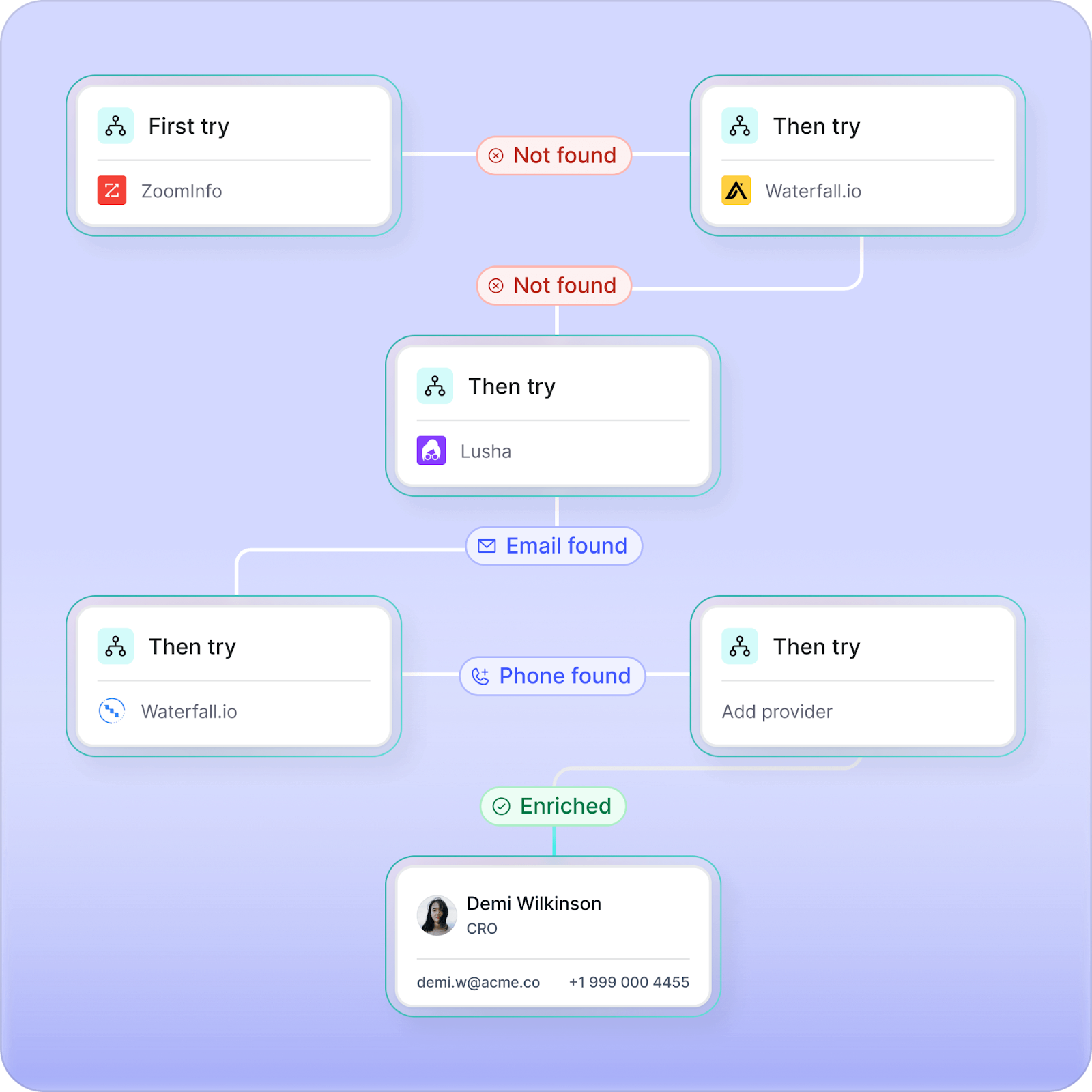
LoneScale then scans 25+ underlying vendors and live web sources, applies waterfall logic and quality checks, and returns a normalized profile per person or company. Each response can include verified email addresses, mobile phone numbers, job titles, company data, and job-change status, with daily refreshes and a 24‑hour SLA for job changes and new hires.
Key features and use cases
- Waterfall enrichment: Use over 25+ trusted vendors in a single workflow to maximize data accuracy and coverage. Apply custom enrichment logic, set country and segment rules, and manage costs with detailed performance analytics.
- People Profile API: A live people search by job title, persona, or company. Get full contact and company information with reverse email look-up. Data is pulled in seconds with a 99% accuracy rate.
- MQL enrichment (Turn emails into B2B data): Instantly enrich inbound forms, webinar sign-ups, and event leads with 40+ verified fields, auto-qualify or disqualify, score, and route them to the right GTM motion in Salesforce or HubSpot.
- Champions tracking (Job changes): Detect when past customers or product users change jobs, automatically update their new roles, and trigger personalized outreach to re-engage high-intent buyers faster.
- AI research agents: You can deploy no-code AI agents that scan trusted web sources, summarize findings, and push structured insights directly into CRM fields.
- Chrome extension: Enrich contact information with a single click as you research leads online. Automatically update records in Salesforce and HubSpot while avoiding duplicate contacts.
Pros and cons
API-first design that fits directly into your REST APIs, workers, and batch jobs.
High coverage and quality for emails and mobiles via waterfall enrichment, so you avoid stitching and maintaining multiple vendors.
Daily refresh and 24‑hour SLAs on job changes and new hires, which aligns with “always up-to-date” promises in product and AI features.
Results-based, pay-per-match pricing for enrichment, giving clearer COGS per enriched record than generic credit bundles.
No free plans
Pricing
- Core plan: Starts at $1,000/month. Includes enrichment, job-change, and new-hire tracking, and plug-and-play integrations for Salesforce and HubSpot.
- Team plan: Starts at $2,500/month. Adds higher credit limits, advanced enrichment, and dedicated RevOps support for larger GTM teams.
2. Mixrank: Good if you need B2B datasets via API and will own the enrichment logic yourself
MixRank maintains large, pre-compiled datasets on companies, people, websites, and technographics, and makes this data available through APIs, bulk file exports, and hosted databases. Product and Data teams typically download MixRank data into their own database, or connect to MixRank’s hosted tables, and then use that data for enrichment, lead scoring, market mapping, or recruiting use cases.
Your backend services (like Node.js, Python, or Java services, or scheduled jobs) send authenticated HTTPS requests to MixRank’s API endpoints, such as /companies or /people, with parameters like company domain, profile URL, or filter conditions.
MixRank’s API responds with JSON records that contain fields for companies, people, technographics, or historical metrics. Your code then writes those records into your own database, data warehouse, or feature store, or uses them to answer your product’s own API responses.
Key features and use cases
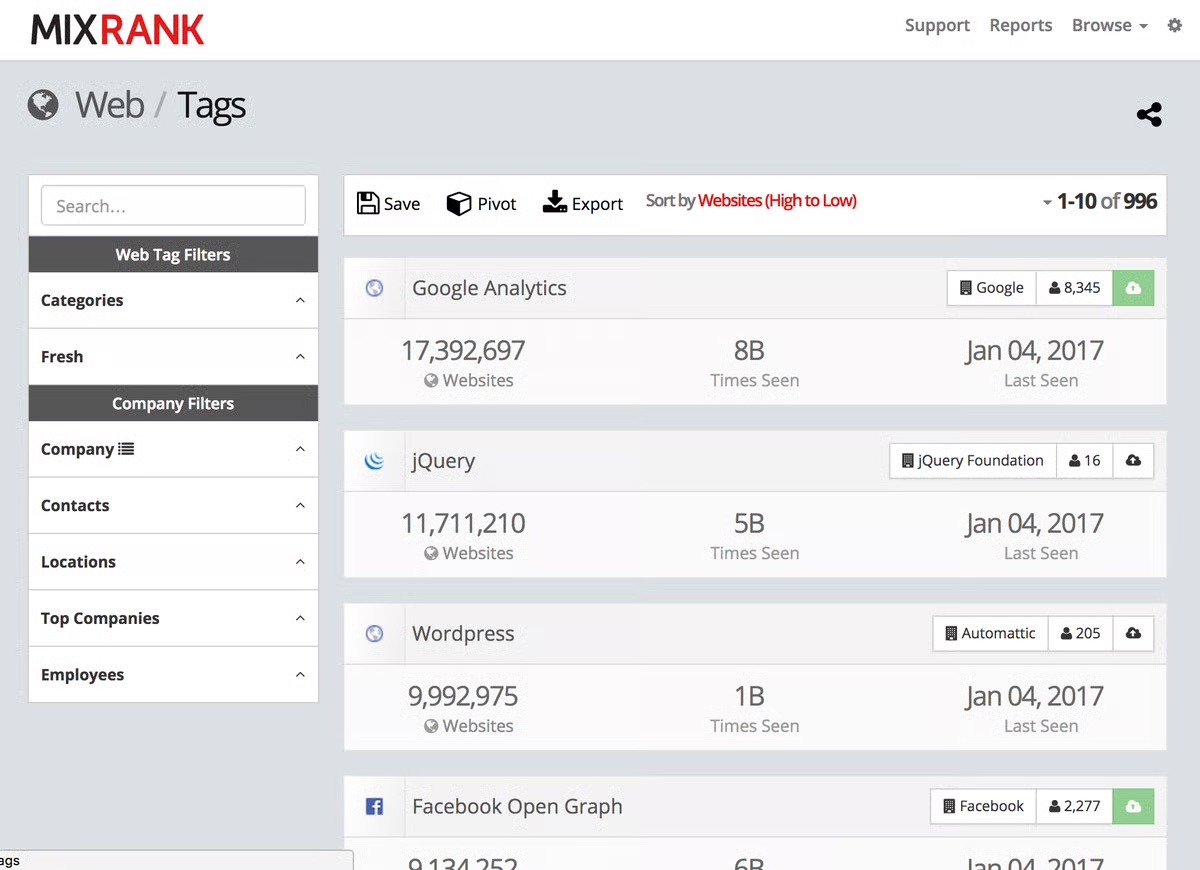
- Technographic and web data: Get information about which technologies websites use, plus other web-sourced signals, to power ICP definitions, scoring models, or intent-like use cases in your product.
- Historical and growth metrics: Use time-series fields such as employee count trends or social metrics to build growth, health, or risk indicators in your data models.
- Multiple delivery options: Receive data through APIs, bulk file exports, or hosted PostgreSQL tables, so your team can integrate via real-time HTTPS requests or scheduled loads into your database.
Pros and cons
You decide how to match records, when to refresh them, and how to turn raw data into product features or ML features.
Fits well if you already have a data engineering and analytics stack (warehouse, pipelines, feature store) and want to plug in a large external dataset as another source.
Can support multiple internal and external use cases at once (enrichment, scoring, recruiting, market mapping) because it is not tied to a single application workflow.
Requires more internal engineering and data work; you do not get an opinionated enrichment or CRM-ready workflow out of the box.
You need to monitor and manage data quality and freshness yourself, as MixRank does not prescribe a specific refresh pattern inside your product.
Advanced configuration and customization require more time and familiarity.
Pricing
MixRank offers multiple pricing structures across its Data Feeds, Data API, and Mobile Apps & SDK products.
- Data API plans: Start at $1,000/month for the Enrich, Match, and Posts endpoints (each includes 100,000 operations). The LiveScan API is priced at $1,500/month for 100,000 scans. Contracts are annual, with monthly credit-card billing available.
- Mobile Apps & SDK plans: Third-party sites like G2 list enterprise plans around $5,000/month, while Software Advice lists a starting price of $24,000/year, though both note that pricing varies by data volume and access type.
- Data Feed plans: Also unlisted publicly, but MixRank’s site outlines People, Company, and Job Posting datasets with hourly updates and API or direct-database delivery. The pricing typically ranges from $1,000–$10,000/month, depending on refresh frequency and dataset scope.
While the pricing plans for the Mobile Apps & SDK and Data Feed aren’t listed publicly, here’s what we found across trusted third-party listings like G2 and Software Advice.
3. Live Data Technologies: Good if you only need real-time job-change and employment signals
Live Data Technologies provides job-change and employment-status data as an API and as data products, so your team can track who works where, in what role, and when they move. This works well if your product or models depend on workforce signals, like “this C-suite exec just moved” or “this team is shrinking or growing”, for AI recruiting, investor tools, or workforce analytics.
However, Live Data doesn’t aim to be a complete contact-enrichment provider. It doesn’t specialize in verified business emails, mobile phone numbers, or waterfall-style enrichment across multiple contact vendors.
Key features and use cases
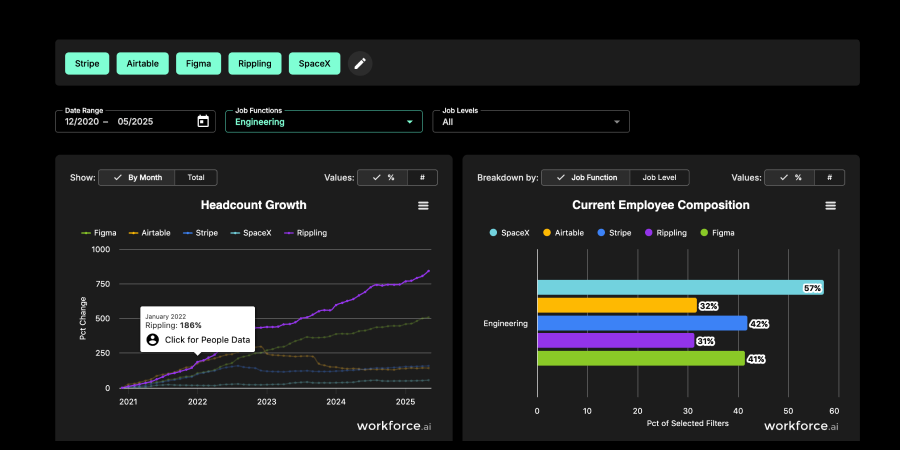
- Real-time job-change and employment graph: Tracks 160M+ professionals and monitors 16M+ employment check-ins per day, detecting ~400k+ job changes weekly.
- Workforce data API: API gives engineers fast access to names, titles, companies, and work history for ~80M+ verified white-collar professionals.
- Job-change data products for data platforms: Ready-made datasets for Snowflake and Databricks, exposing real-time job-change and employment tables you can join to your own data.
Pros and cons
Designed to plug into existing data stacks, with both an API and native availability on platforms like Snowflake and Databricks, so Data/ML teams can work in tools they already use.
Higher refresh frequency, which reduces the amount of catch-up or custom “change detection” logic your team has to build internally.
Doesn’t focus on verified business emails, mobile numbers, or waterfall enrichment, so you need another provider if your product exposes contact channels.
Specialized around workforce data, which is not ideal if your main need is broad firmographics, technographics, or general sales intelligence rather than employment movement.
Pricing and packaging are geared toward enterprise data products and marketplace deals, so evaluation and procurement can be heavier than with fully self-serve APIs.
Pricing
- Moneyball plan: Starts at $99/month. Includes company benchmarking, workforce analysis (arrivals, departures, churn, and tenure), downloadable charts, and head-to-head comparisons for up to 10 companies. Comes with a 30-day free trial.
- Streams plan: Starts at $199/month. Let's you track up to 15 companies with department filters, weekly summaries, and CSV exports of job-change data delivered by email. Includes a free trial option.
- Enterprise Data Platform: Custom pricing. Offers tracking by company, title, department, or 15+ attributes, with full API access, on-call support, custom data delivery, and on-demand reporting.
4. People Data Labs: Good if you want flexible person/company enrichment APIs and will manage coverage and freshness yourself
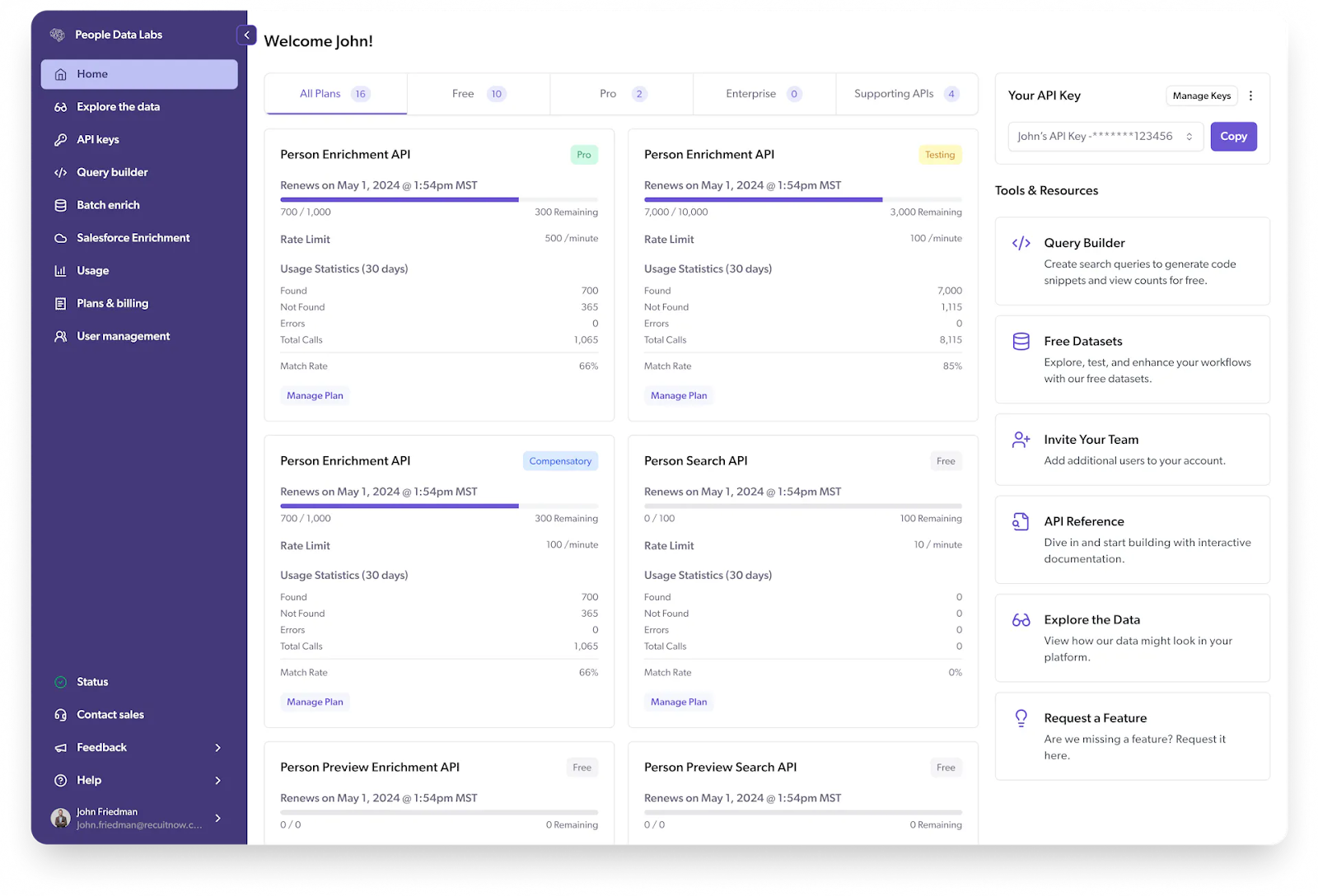
People Data Labs (PDL) provides large global person and company datasets through Enrichment, Search, and Identify APIs, plus data licenses for cloud and warehouse delivery. PDL works well if your team wants flexible, general-purpose enrichment and is comfortable owning matching logic, quality checks, and how often you refresh records.
However, its core datasets are typically refreshed on monthly cycles rather than with strict daily SLAs. It also doesn’t provide an out-of-the-box waterfall specifically optimized for maximizing verified mobile phones or job-change detection. So you may need additional vendors or custom logic if your product promises always-fresh contacts or high mobile coverage.
Key Features and use cases
- Person Enrichment API: Takes inputs such as name, email, phone, company, or social URLs and returns a structured person profile with employment history, education, location, and social handles.
- Company Enrichment API: Enriches companies by name, domain, social profile, ticker, or location and returns firmographic attributes like industry, size, location, and other company metadata.
- Search and Identify APIs: Let you search the person/company datasets with complex filters or identify a record from partial data, to power list-building or in-product search and matching.
- Bulk and data-sharing delivery: Supports bulk enrichment endpoints and data sharing via cloud and warehouse platforms (e.g., Snowflake, data licenses), so teams can work at dataset scale.
Pros and cons
Flexible enough to support many product types (sales, marketing, talent, identity, AI) from the same underlying people and company graph.
API design and documentation are developer-friendly, so engineering teams can integrate PDL into existing services and pipelines.
Dataset refresh is generally monthly, which can be too slow for products that promise near real-time job changes or always-up-to-date contact data.
You must design and maintain your own enrichment, matching, and data-quality logic on top of PDL, which increases engineering and data-ops overhead.
Credit-based pricing across multiple APIs and higher-volume/data-license contracts makes cost forecasting more complex.
Pricing
- Free plan
- Pro plan: Starts at $98/month for access to the full API suite and 350+ monthly records. Includes contact data, premium fields, and email support.
- Enterprise plan: Custom pricing for bulk data access, API, or Data License feeds, and white-glove support.
5. Crustdata: Good if you want real-time people search and web-sourced context, but no built-in waterfall for phones/emails
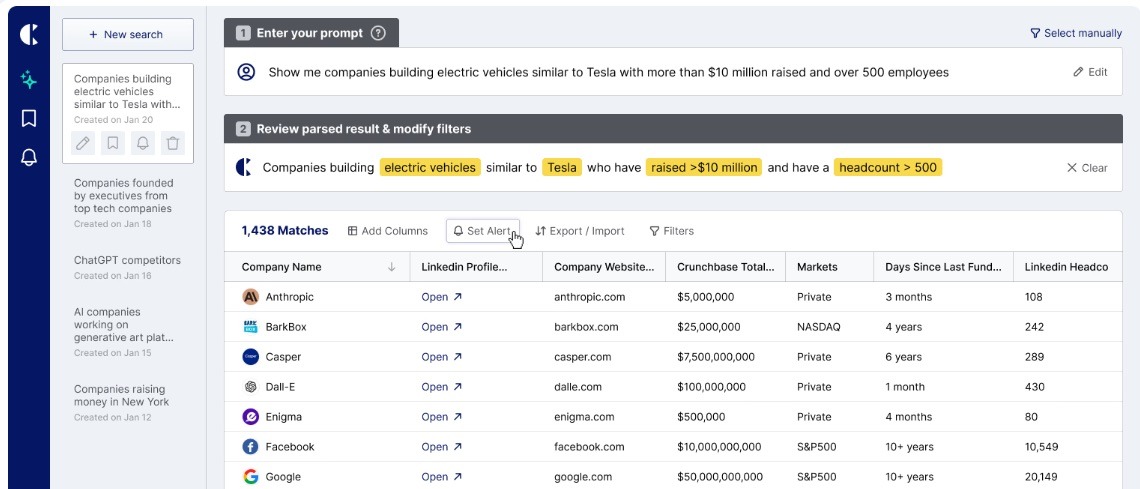
Crustdata fetches or refreshes profiles on demand and returns JSON with 90+ people fields and 250+ company datapoints, including work history, social activity, funding, and growth indicators, which your code writes into your own database, warehouse, or product APIs.
This works well if you want live people search and rich context for AI SDRs, outbound personalization, or investment/recruiting tools, and are comfortable owning triggers, retries, and how enriched data appears in your product.
However, Crustdata doesn’t provide an opinionated waterfall specifically tuned for maximizing verified mobile phone coverage or a packaged “CRM-native” enrichment workflow. So you’ll still need to design your own coverage strategy and, if required, combine it with other providers to reach high phone/email match rates at scale.
Key features and use cases
- People Enrichment API: Returns 90+ live data points per person (name, emails, social URLs, job title, current company, work history, education, posts, engagement) from inputs like LinkedIn URL, email, or name + company.
- Company and Job Listing APIs: Provide 250+ attributes per company and 30+ fields per job listing, including funding, headcount growth, tech stack, and hiring signals you can use for intent or targeting features.
- Real-time vs cached modes: Lets you choose between live web crawling on each request for maximum freshness, or faster cached enrichment when you need to update many records quickly.
- Watcher API and webhooks: Monitors selected people or companies and sends webhooks when they change jobs, post, or hit defined thresholds, so your systems can trigger updates or outreach automatically.
Pros and cons
Profiles are pulled from the web at request time when needed, which reduces reliance on stale monthly snapshots.
Rich context (social posts, engagement, funding, headcount growth) is useful for AI agents, ranking models, and hyper-personalized outreach inside your product.
Flexible delivery (REST API, CSV/JSON feeds, flat-file datasets) that fits both event-driven. microservices and warehouse-first architectures.
No native waterfall specifically designed to maximize verified mobile phones and emails.
Real-time crawling can introduce higher latency and more variable response times, which your team must handle with timeouts, retries, and fallbacks.
Credit-based pricing can become costly for high-volume enrichment or frequent API calls.
Pricing
Crustdata does not provide transparent pricing information on its website. To access details, you need to book a demo and speak with the sales team. No public tiers or credit-based breakdowns are listed on the pricing page.
However, one YouTube review mentions that paid plans “start around $95/month,” while SaaS directories mention entry-level API access in the sub-$200/month range, with higher tiers and enterprise plans priced via custom quotes.
But none of these figures are confirmed directly by Crustdata.
6. Rocketreach: Good if you need a simple contact data API behind your product, but not strict freshness or job-change SLAs
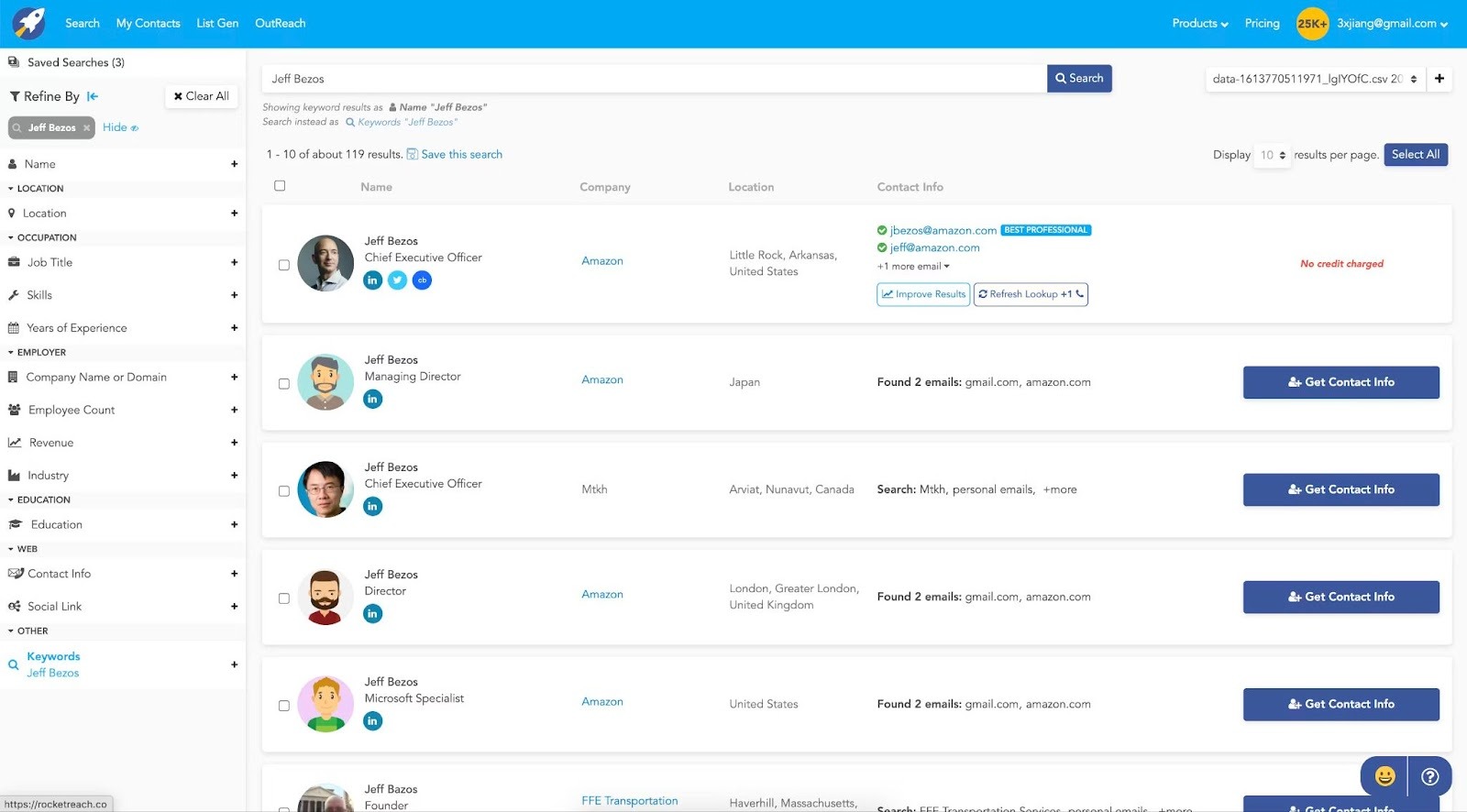
RocketReach is positioned first as a prospecting tool and browser-based contact finder, with the API offered as an add-on for teams that want to programmatically pull its email and phone data into existing systems.
For Product and Data teams, that means RocketReach can work as a simple “contact lookup” backend, but it’s not designed as a full data infrastructure layer. So if your roadmap includes always-fresh views, job-change alerts, or waterfall-style enrichment to maximize mobile coverage, you will quickly run into those limits and likely need a different or additional provider.
Key features and use cases
- Search-by-persona: Filters for title, seniority, company, industry, and location so you can let users search for likely decision-makers and then expose RocketReach contacts inside your own UI or workflows.
- Email verification and scoring: Built-in deliverability checks and confidence scores to reduce bounces when your product or customers send emails to enriched contacts.
- CRM and tool integrations: Connectors for Salesforce, HubSpot, Outreach, and Salesloft.
Pros and cons
Often seen as a cost-effective entry point for teams that need access to a large contact database.
Simple UI and Chrome extension make it easy for end users to look up contacts and use those details inside other tools.
No rollover of unused lookups/credits.
Data freshness gaps for some regions/niches; some outdated contacts.
Bulk downloading can be slow/awkward.
Export limits tied to plan; credits/pricing can feel inflexible.
Pricing
All RocketReach plans are billed per user, so additional team members require their own subscriptions.
- Essentials plan (Email Only): Starts at $69/month for one seat. Includes personal and professional emails, 100 lookups and 100 exports per month (1,200 per year), and the ability to send up to 500 emails per day.
- Pro plan (Email + Phone): Starts at $119/month for one seat. Adds mobile and direct phone numbers, 250 lookups and exports per month (3,000 per year), and access to technographics, news, and org charts. Also includes Autopilot (10 active jobs) and integrations.
- Ultimate plan (Email + Phone): Starts at $209/month for one seat. Built for teams running advanced prospecting or automation workflows, offering 1,000 lookups per month (12,000 per year) with full access to personal, professional, and phone data.
7. Xverum: Good if you need full-scale company datasets and have enterprise-level budget
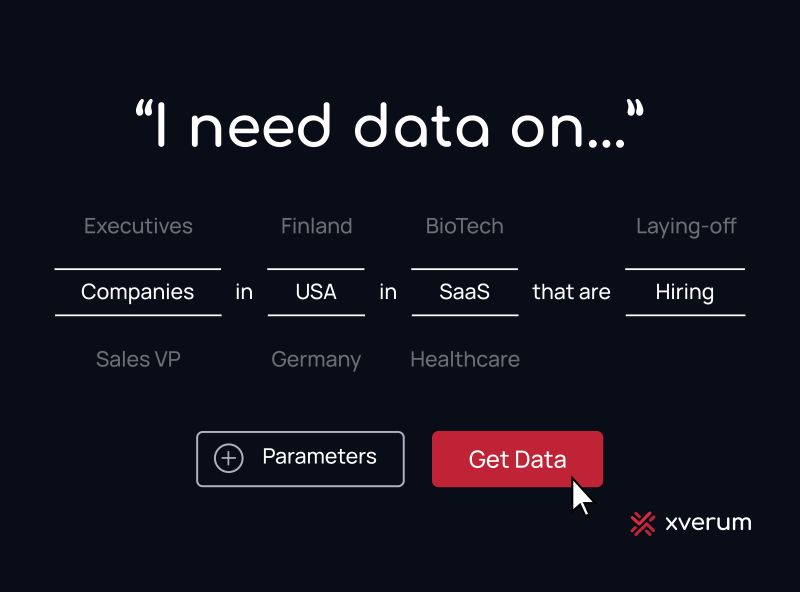
Xverum provides very large, pre-processed datasets on B2B people, companies, jobs, and locations, aimed at teams that want marketwide coverage rather than just a prospecting list. Their catalog includes hundreds of millions of professional profiles and tens of millions of companies, exposed via APIs, JSON/CSV feeds, and data marketplace listings (for example, Databricks), so Product and Data teams can plug that data into their own platforms and ML pipelines.
However, Xverum doesn’t publish self-serve pricing or strict refresh SLAs, and available information suggests contracts are priced at enterprise levels, which makes it less suited to smaller teams or products looking for simple, pay-as-you-go enrichment of emails and phones.
Key features and use cases
- Multi-domain coverage (people, companies, jobs, locations): Data on individuals, organizations, job postings, and points of interest, so you can power lead gen, talent, and market-intel use cases from a single provider.
- Pre-processed and compliance-ready: Data is cleaned, structured, and positioned as GDPR/CCPA compliant, reducing the internal work needed around normalization and legal review.
- Enterprise delivery options: APIs, JSON/CSV exports, and listings on platforms like Databricks Marketplace, making it easier to load Xverum data into existing data warehouses and AI/ML stacks.
- Data expert consultation: Option to work directly with Xverum’s team to scope dataset coverage, refresh rates, and integration fit.
Pros and cons
Precision-built datasets reduce cleanup and accelerate integration for SaaS and AI/ML products.
Near-total coverage across people, company, job, and location data minimizes blind spots.
Fast data refresh cycles improve data freshness and downstream accuracy.
No public pricing.
Emphasis is on selling big datasets and infrastructure offload. If you need very specific enrichment workflows (like waterfall email/phone coverage or CRM-native automations), you still need to design and implement those yourself.
Limited public information on concrete refresh SLAs per field (for example, exactly how often individual contact or company records are updated). This can be a constraint if your product promises strict freshness guarantees to customers.
Limited user reviews online, making it hard to verify real-world performance and outcomes.
Pricing
Xverum doesn’t display pricing information publicly, so you’ll need to book a call with their data team. Third-party listings suggest entry-level pricing starts around $300/month and goes up to about $5,000/year, depending on dataset size and refresh frequency. Some directories also mention a free trial, though none of this is verified by Xverum.
Embed live contact enrichment into your product with LoneScale’s API
Most Coresignal alternatives still put the hard work on your team. You pull large datasets, build matching and refresh logic, and then wire everything back into your product or CRM yourself.
LoneScale is built for the teams that don’t want this hassle. Your engineers call a single API from your backend, data jobs, or CRM integration. LoneScale returns normalized people and company profiles with verified emails, mobile numbers, and job‑change status. It runs waterfall enrichment across multiple vendors, applies quality checks, and keeps records fresh with daily updates and 24‑hour SLAs on job changes and new hires.
LoneScale offers a faster, lower‑maintenance way to give customers live, reliable people data where they work, right inside your app and CRM.
Add live enrichment to every account
LoneScale’s API gives your product and CRM always‑fresh contacts, job‑change tracking, and intent signals
Ready to turn enrichment into revenue?
LoneScale's waterfall enrichment platform helps you identify ready-to-buy prospects and turn them into real opportunities.