People Data Labs Alternatives
The 8 best People Data Labs alternatives
Looking beyond People Data Labs? This guide covers eight alternatives with faster refresh SLAs, stronger mobile phone coverage, and flexible APIs for product and data teams.
People Data Labs Alternatives
Product, ops, and data teams who rely on People Data Labs (PDL) for people data APIs often hit three hard limits: mobile phone coverage, refresh speed, and cost at scale.
If you’re building a CRM, dialer, sales engagement tool, AI SDR, or any other product that needs three things to work reliably in production:
- Waterfall enrichment for emails and phones with high mobile coverage
- Unlimited job-change and new-hire data with a daily refresh SLA
- Live people search by company and persona via API
In this article, we list eight People Data Labs alternatives that better match those requirements for product, ops, and data teams.
Why opt for an alternative to People Data Labs for your data enrichment workflow
People Data Labs earned early adoption as a large, generic enrichment dataset, but that doesn’t automatically make it a fit as the underlying data layer for modern, API-first products.
Here’s what drives teams to look for a People Data Labs alternative.
1. Data updates that are too slow for “live” use cases
For ‘current job,’ ‘new hire,’ or ‘recent role change’ functionalities and features, monthly or quarterly updates aren’t enough. You need fresh data updated regularly.
PDL’s cadence can be monthly or slower: a dealbreaker for teams tracking job changes, intent shifts, or live buying signals. In fact, one reviewer said, “A little chunk of the data is not updated, and some of it is missing.”
2. LinkedIn‑dependent coverage and structural blind spots
“The data seems to trust LinkedIn a bit much. I have found cases in which random LinkedIn profiles would say they are the company's CEO, but that doesn't match public sources. Also, if a person is not on LinkedIn, they will not show up in search results or be counted towards a company's employee total.” — Venture capital reviewer, 2022
For product and data teams, this means coverage and correctness can be strongly influenced by how complete and accurate LinkedIn is in a given segment or region. If your roadmap includes consistent coverage for executives or non‑LinkedIn‑heavy roles in industries like manufacturing, finance, or healthcare, that dependency can introduce gaps your product can’t easily mask.
3. No automation or buying signals
People Data Labs provides data enrichment endpoints (person, company, identify, IP) and connectors (for example, Salesforce enrichment), but the responsibility for scheduling, orchestration, and reacting to changes sits with your team. There is no native concept of an ‘unlimited daily job‑change feed’ or a managed ‘contact database refresh’ pipeline you can just plug into and treat as infrastructure.
Many teams now prefer providers that expose higher‑level primitives (daily job‑change datasets, hiring‑intent feeds, live people search APIs) that can be dropped into their architecture with minimal custom orchestration
4. Credit‑based pricing that complicates product unit economics
People Data Labs uses a usage-based credit model where different products each have their own credit tiers and pricing. For example, ‘Person Enrichment’ and ‘Person Search’ start at 350 monthly credits for $98 (Tier 1), while ‘Company Enrichment’ and ‘Company Search’ start at 1,000 monthly credits for $100.
Credits are consumed per successful match, and the consumption rules differ by API. Enrichment APIs typically use one credit per successful request (or up to 100 credits in a single bulk call), whereas Search APIs use one credit per profile returned, meaning a single Search request can consume between 1 and 100 credits depending on the size parameter.
For embedded products that mix enrichment, search, bulk operations, and periodic refresh, this makes it harder to map a user action or account lifecycle to a clear cost, because different parts of the workflow may hit different APIs and burn credits in different ways.
So, let’s take a look at the alternatives.
8 People Data Labs alternatives: Quick overview

Lonescale
- Daily refresh with additional 7-day and 30-day refresh options
99% overall data accuracy with 94% verified mobile phone and email coverage - People search, enrichment, and job‑change tracking via APIs
Waterfall enrichment across 25+ vendors with dynamic rules - People Profile API with 99% accuracy on person + company profiles
- SOC 2 and GDPR‑compliant with global coverage


Mixrank
- Technographic and web‑intel datasets showing which companies use which web technologies, SDKs, and apps
- Company and people enrichment; delivery via APIs
- Bulk exports, and direct database feeds (Postgres, Snowflake, BigQuery, Redshift)
- High‑frequency refreshes suitable for tracking stack changes, job moves, and competitive shifts

.png)
Crustdata
- Real‑time B2B data infrastructure combining 15+ verified sources
- Supports both search‑style lists and record‑style objects
- Rich filtering (employee bands, funding, tech stack, geography, hiring signals)
Supports one‑off list builds and always‑on workflows - Real‑time crawling when a record isn’t already in the database
- Agent and model‑friendly APIs and formats

Live Data Technologies
- Real‑time job‑change and workforce‑signal provider focused on who works where and who just moved
- Real‑time job‑change feed suitable for triggers and models
- Continuously verified person ↔ company ↔ role graph
- Warehouse‑native delivery
- Workforce‑intelligence views for headcount trends and composition
.png)
Coresignal
- Multi‑source company, people, and job data from public web sources
- APIs and bulk datasets (JSONL/Parquet/CSV) instead of UI
- AI‑ready formats with stable IDs and timestamps
- Continuous refresh and change tracking for signals like growth and hiring spikes

Surfe
- Chrome‑extension CRM companion on LinkedIn for one‑click contact, company, and deal creation
- Automatic enrichment of verified emails, phones, and firmographics
- Syncs LinkedIn conversations and activity to CRM
- Job‑change and live buyer signals
- List‑building from LinkedIn into CRM
- API for programmatic enrichment and list‑building


Xverum
- Refreshed in real time
- 98 % data accuracy
- Production‑ready people, company, jobs, and POI datasets via developer‑friendly API
- Focuses on precision, freshness, and compliance (GDPR/CCPA‑aligned sourcing and DPAs)
- “Inferred data layer” to expose higher‑order signals like job‑changes and hiring bursts

FullEnrich
- Waterfall‑based enrichment across 15+ providers for work emails, phones, and firmographics
- Bulk CSV/Excel enrichment plus API access for in‑product workflows
1. LoneScale: A plug-and-play sales intelligence platform with built-in CRM integrations and automation
LoneScale is a live people data API layer. It is built for Product, Ops, and Data teams who want fresh contact and company data inside their own product or CRM.
LoneScale’s API refreshes people data every day from 30+ trusted sources with 99% accuracy. You can use its APIs for people search, enrichment, and job-change tracking instead of building your own data pipelines.
LoneScale supports flexible refresh SLAs, such as 24-hour, 7-day, or 30-day cycles, depending on your needs. It is SOC 2 and GDPR-compliant and offers global coverage across the US, EMEA, LATAM, and APAC.
Key features and use cases
- People Profile API: Let your users search for people by job title, persona, or company directly inside your product. You can also send an email and get a full person + company profile back in one call, with 99% accuracy (emails, mobiles, LinkedIn URL, company firmographics). This is ideal for powering “add contact,” prospecting sidebars, and internal GTM tools.
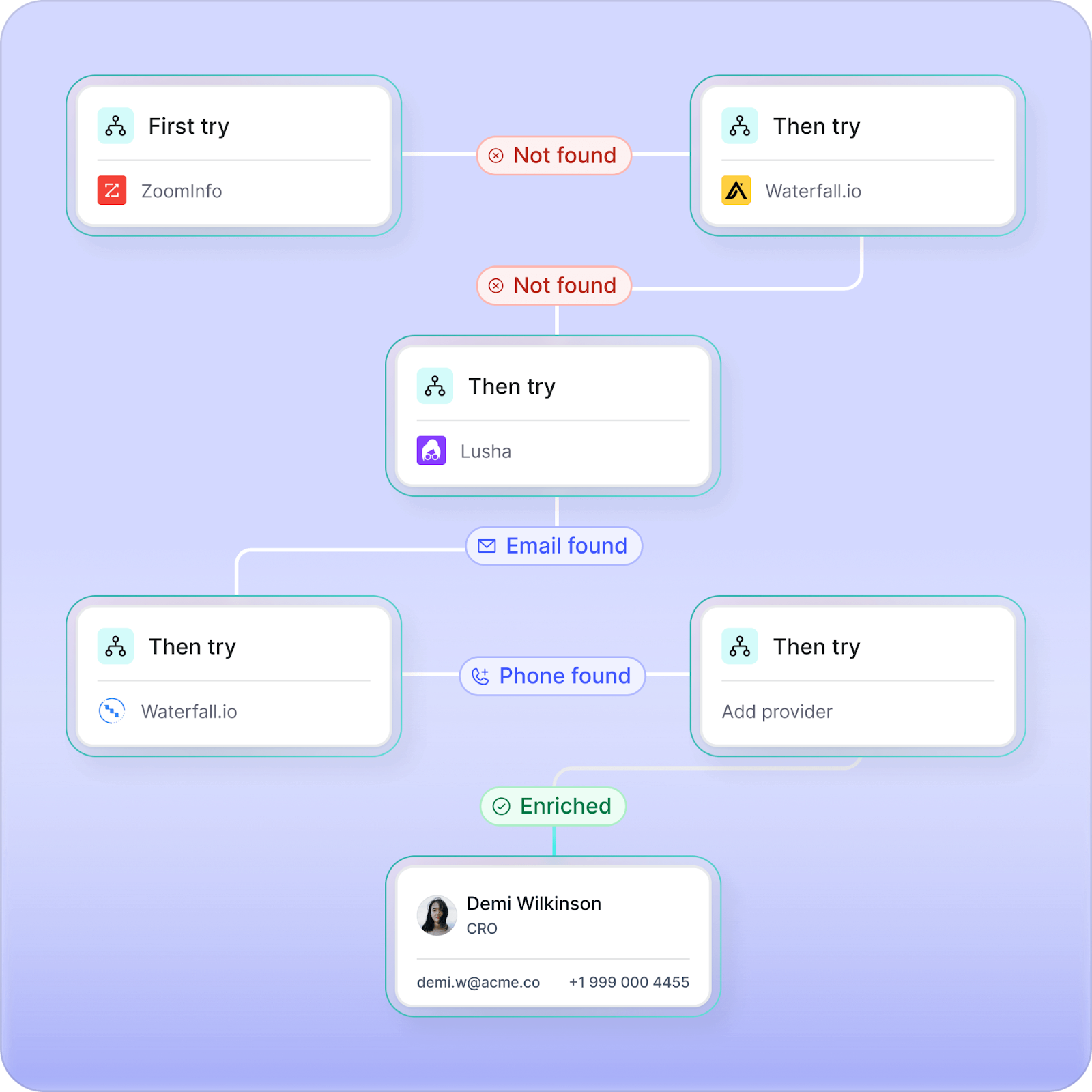
- Waterfall enrichment: Expands data coverage through 25+ verified vendors, applying dynamic country- and segment-based rules for cost-efficient enrichment. Each contact is verified in real time with analytics that optimize vendor performance.
- Job-change tracking (champions tracking): Monitors when key stakeholders move roles, updates their records instantly, and triggers outreach sequences or workflows so your reps never lose momentum with proven buyers
- AI research agents: No-code AI Research Agents scan trusted web sources, summarize relevant findings, and feed structured insights directly into your CRM fields
- Chrome extension: Enrich contact information with a single click as you research leads online. Automatically update records in Salesforce and HubSpot without creating duplicate contacts.
Pros and cons
Designed as a data layer, so Product/Ops/Data teams get clean APIs that they can call from any part of their app or internal stack.
Daily refresh and strict SLAs (including 24-hour job-change updates) reduce the need for your team to build and manage ETL and enrichment pipelines.
Global coverage and accuracy on emails and mobiles make it suitable for dialers, sales engagement tools, and AI products that need trustworthy people data.
SOC 2 and GDPR compliance plus encryption and regular audits help pass enterprise security and privacy reviews.
No free trial
Pricing
- Core plan: Starts at $1,000/month. Includes enrichment, job-change, and new-hire tracking, and plug-and-play integrations for Salesforce and HubSpot.
- Team plan: Starts at $2,500/month. Adds higher credit limits, advanced enrichment, and dedicated RevOps support for larger GTM teams.
2. Mixrank: High‑frequency technographics and B2B data
MixRank is a data‑first provider of technographic, company, and people data built for Product, Ops, and Data teams that want to stream third‑party signals into their own workflows and models.
It tracks which companies use which web technologies, SDKs, and apps across millions of websites and mobile apps, then delivers that data through APIs, bulk files, and direct database feeds so you can join it back to your own accounts and users.
Key features and use cases
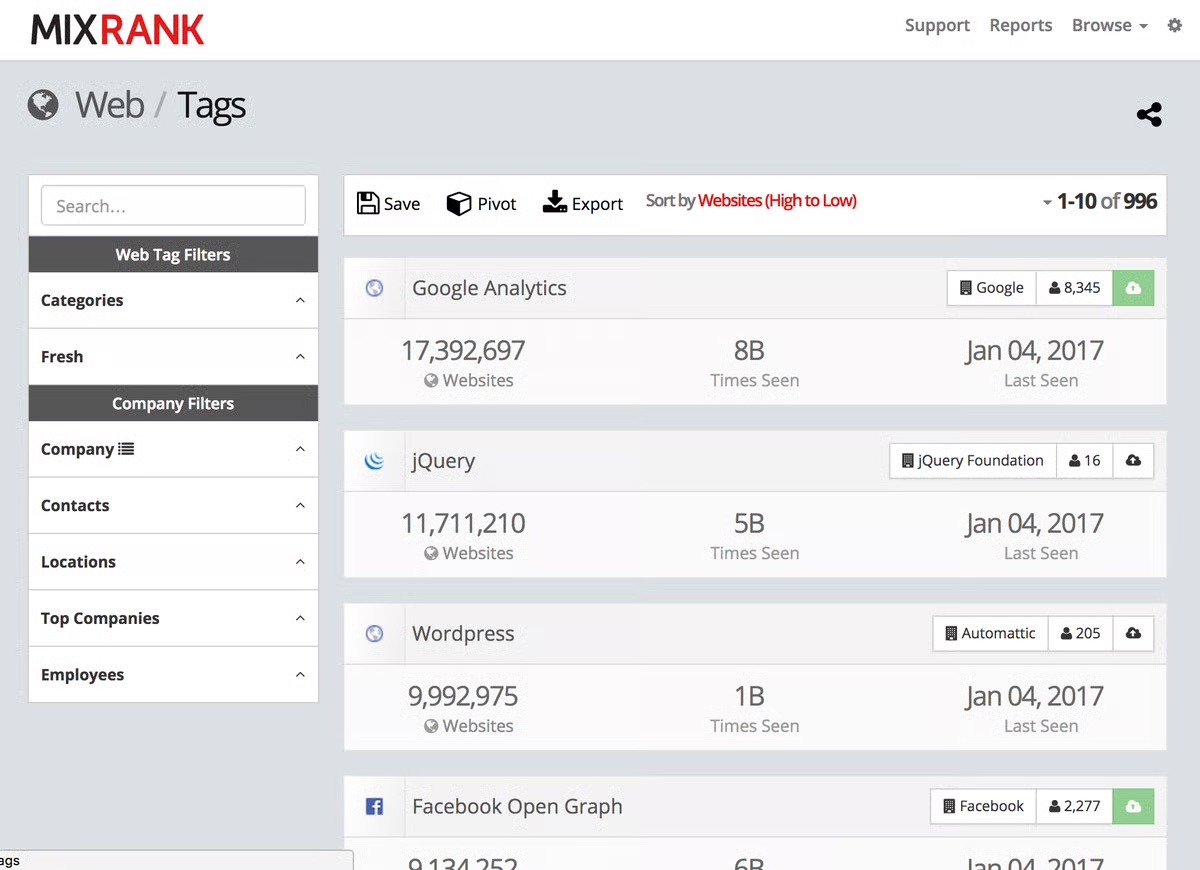
- Technographic and web‑intel datasets: Large‑scale coverage of which companies use which web technologies, SDKs, and apps across the web and mobile.
- Company and people enrichment: Firmographic and people‑level attributes you can append to existing accounts, users, and candidates for better scoring and segmentation.
- Data‑team‑friendly delivery: Access via APIs, bulk exports (CSV/Parquet/JSONL), and direct feeds into databases/warehouses like Postgres, Snowflake, BigQuery, and Redshift.
- High‑frequency refreshes: Frequently updated data suitable for tracking stack changes, job moves, and competitive shifts over time.
Pros and cons
Fit for technographic‑heavy use cases like market mapping, competitive intelligence, and GTM modeling.
Flexible delivery options that integrate cleanly into modern data stacks and internal pipelines.
Data‑first design that gives teams control over matching, modeling, and activation.
Not a plug‑and‑play CRM or outbound tool; you still need your own systems for workflows and activation.
Requires data/engineering ownership to model, validate, and monitor data quality at scale.
Advanced configuration and customization require more time and familiarity.
Pricing
MixRank offers multiple pricing structures across its Data Feeds, Data API, and Mobile Apps & SDK products.
- Data API plans: Start at $1,000/month for the Enrich, Match, and Posts endpoints (each includes 100,000 operations). The LiveScan API is priced at $1,500/month for 100,000 scans. Contracts are annual, with monthly credit-card billing available.
While the pricing plans for the Mobile Apps & SDK and Data Feed aren’t listed publicly, here’s what we found across trusted third-party listings like G2 and Software Advice.
- Mobile Apps & SDK plans: Third-party sites like G2 list enterprise plans around $5,000/month, while Software Advice lists a starting price of $24,000/year, though both note that pricing varies by data volume and access type.
- Data Feed plans: Also unlisted publicly, but MixRank’s site outlines People, Company, and Job Posting datasets with hourly updates and API or direct-database delivery. The pricing typically ranges from $1,000–$10,000/month, depending on refresh frequency and dataset scope.
3. Crustdata: Real‑time B2B data infrastructure with on‑demand crawling and live signals
Crustdata gives you live company and people data through simple APIs and data feeds, and can even crawl the web in real time if a record is not already in its database. It combines data from 15+ verified sources into one clean profile, so you can power enrichment, targeting, and AI agents without building your own scraping stack or data pipelines.
The main limitation is that Crustdata does not come with opinionated playbooks, job‑change workflows, or CRM‑native one‑click automations, so you still have to design and build those flows yourself around its data.
Key features and use cases
- Flexible data shapes for different use cases: You can pull both “search-style” results (lists of matching companies/people) and “record-style” objects (enriched profiles keyed by your IDs), which makes it easier to plug the same data into very different products and workflows.
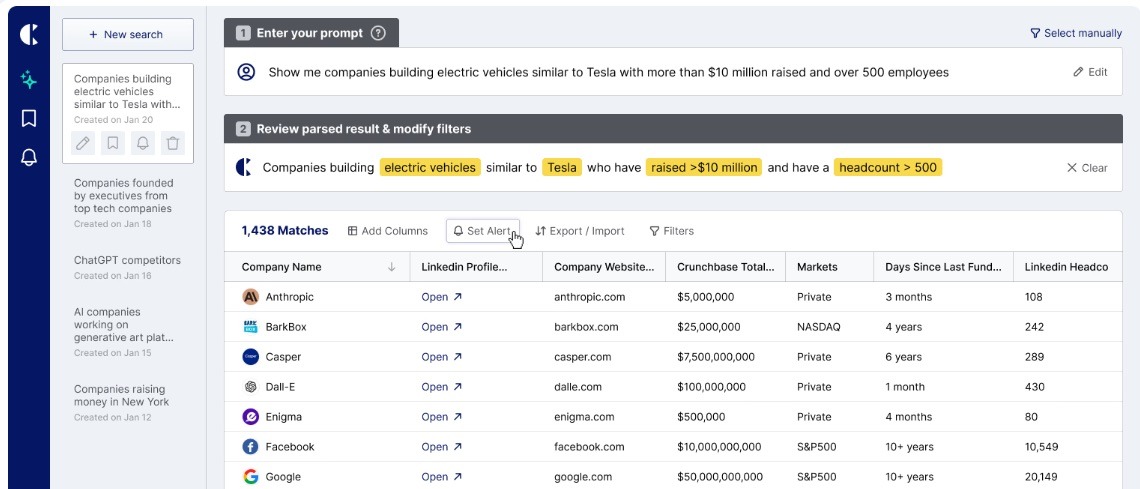
- Rich filtering for precise targeting: Filters let you slice by employee bands, funding stage, tech stack, geography, hiring signals, and more, so you can express quite specific ICP rules without hacking around in your own code.
- Support for both one-off and always-on workflows: It works for ad‑hoc discovery (e.g., building a list once) and for continuous flows (e.g., keeping a segment or model input fresh over time).
- Agent- and model-friendly design: The APIs and response formats let AI agents and LLM-based workflows can query, interpret, and chain results easily, without a lot of post-processing or brittle scraping logic on your side.
Pros and cons
Ideal when you want a single external data backbone that your own models, workflows, and tools can sit on top of, instead of yet another sales UI.
Plays nicely with “build, don’t buy the app” teams because it stays out of UX and lets you design your own internal tools and agents on top of its data.
Real-time crawling plus multi-source profiles gives you coverage in edge cases where static, list-based providers often fail or return thin records.
Doesn’t come with out‑of‑the‑box engagement features like sequencing, calling, or task workflows, so it won’t replace your sales engagement platform.
Stays focused on external data and signals, so you still need separate tools or processes for deep CRM hygiene, territory assignment, and day‑to‑day rep productivity.
You have to own the “last mile” (routing logic, playbooks, and UI) around its APIs, which is great for infra‑minded teams but a drawback if you want a turnkey GTM app.
Pricing
Crustdata does not provide a transparent pricing structure on its website. To access details, you need to book a demo and speak with the sales team. No public tiers or credit-based breakdowns are listed on the pricing page, but one YouTube review mentions that paid plans “start around $95/month”. Crustdata does not confirm this figure, so you’ll need to contact sales for an accurate cost.
4. Live Data Technologies: Good if you don’t need a complete, compliant people graph just live job‑change signals
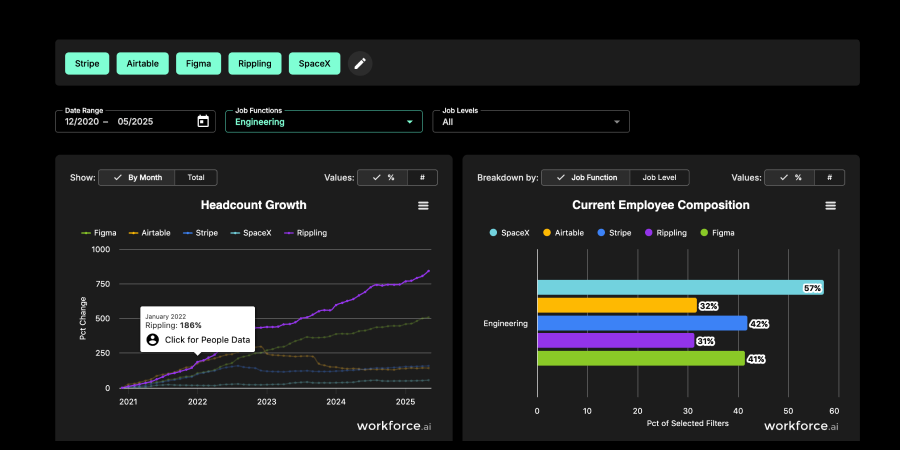
Live Data Technologies is a people and company data provider that focuses on real‑time job‑change and workforce signals. It continuously crawls and interprets the open web to maintain an up‑to‑date view of who works where, who just moved, and how teams are staffed, then exposes that as datasets, APIs, and a UI (workforce intelligence) you can plug into your warehouse and workflows.
Under the hood, it’s doing entity resolution (person ↔ company ↔ role) and ongoing verification, so you can treat job moves and hiring patterns as structured data. That makes it useful for feeding features into churn/propensity models, alerting on champion moves, sizing and prioritizing segments based on talent flows, or enriching internal tools that need a “live org graph” without building your own scraping and data‑engineering stack.
Key Features and use cases
- Real-time job-change feed: Continuously updated events on who moved roles or companies, so you can trigger plays, update models, or re-prioritize work based on this week’s changes.
- Continuously verified employment graph: A maintained mapping of person ↔ company ↔ role that reduces manual SFDC hygiene, ad-hoc LinkedIn checks, and brittle internal enrichment scripts.
- Warehouse‑native delivery: Data is designed to land cleanly in your warehouse or lakehouse, making it easy to join with product, CRM, or billing data for modeling and analytics.
- Workforce intelligence views: Prebuilt slices on companies, teams, and talent flows that help you see where your market is hiring or consolidating without building your own headcount dashboards first.
Pros and cons
Gives you a forward-looking view of markets and accounts (who they’re hiring, who they’re losing) that often shows up before it’s visible in your product or revenue data.
Creates a shared, external “source of truth” about who works where, reducing duplicated manual research across teams.
Avoids the cost and complexity of building your own web‑scraping, parsing, and employment‑entity‑resolution pipeline.
Can increase complexity in your data stack if you don’t have clear ownership for how job-change events flow into CRM, models, or internal tools.
Not a great fit if you primarily need compliance-heavy HR data or official records, rather than directional, open-web-based workforce intelligence.
May need external storage or batch systems for long-term or historical trend analysis.
There aren’t many public reviews yet, so it’s harder to check how real users rate the product.
Pricing
- Moneyball plan: Starts at $99/month. Includes company benchmarking, workforce analysis (arrivals, departures, churn, and tenure), downloadable charts, and head-to-head comparisons for up to 10 companies. Comes with a 30-day free trial.
- Streams plan: Starts at $199/month. Lets you track up to 15 companies with department filters, weekly summaries, and CSV exports of job-change data delivered by email. Includes a free trial option.
- Enterprise Data Platform: Custom pricing.
5. Coresignal: Public web B2B data provider for company, job, and professional insights
Coresignal is a public web B2B data provider that you plug into your own stack rather than use as a standalone tool. Product teams can use its company, professional, and job datasets to power features such as rich company profiles, discovery/browsing experiences, and talent and account recommendations within their apps.
Ops teams can stream this data into CRM and GTM tools to improve lead routing, territory rules, and playbook triggers based on headcount, hiring velocity, and tech stack. Data teams can load the AI‑ready tables into a warehouse or lake, join them with product and revenue data, and then build scoring models, propensity models, or internal AI systems that rely on fresh, structured company and workforce signals.
Key features and use cases
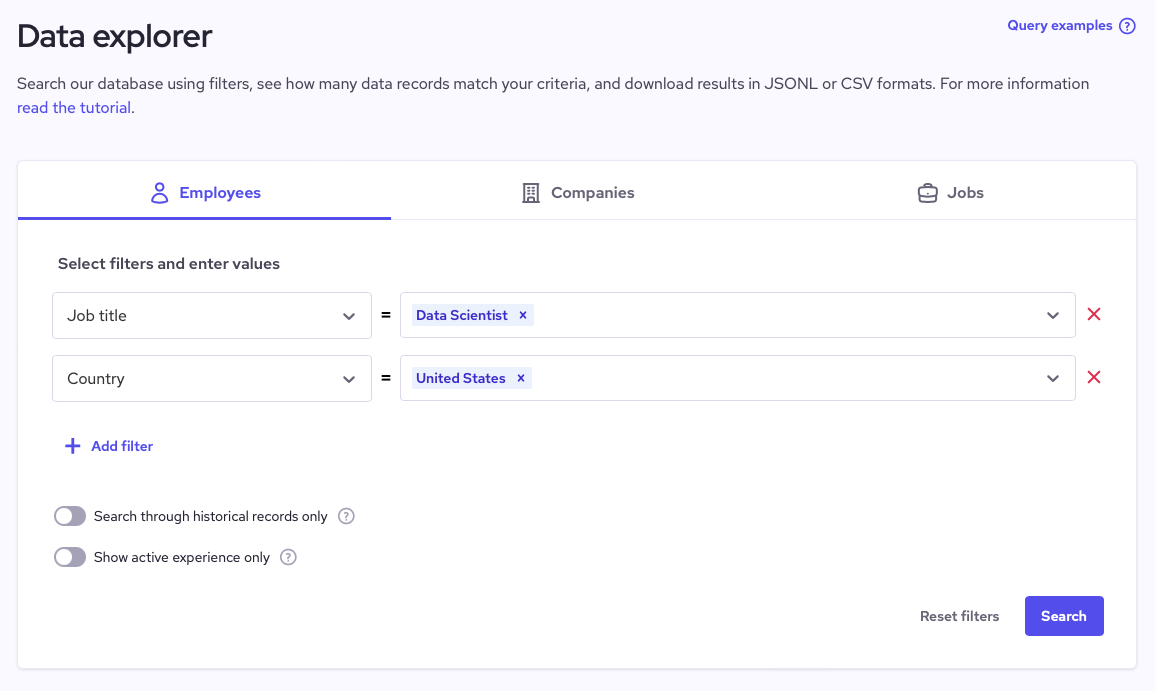
- Multi-source company, people, and job data: Structured firmographic, workforce, and hiring data you can join to CRM, ATS, and product databases.
- APIs and bulk datasets instead of a UI: Access via enrichment APIs or large, downloadable datasets, so you control the models, workflows, and UX.
- AI-ready formats and stable IDs: Data delivered in analysis-friendly formats (e.g., JSONL/Parquet/CSV) with stable identifiers and timestamps for modeling and historical tracking.
- Continuous refresh and change tracking: Regularly updated records and incremental changes you can use to detect signals like growth, hiring spikes, or market shifts.
Pros and cons
Lets you centralize company, people, and job data from “LinkedIn-like” public sources without building your own scraping pipeline.
You can drop their JSONL/Parquet/CSV into your warehouse/lake and join by domain or company identifiers to existing CRM, product, or ATS tables.
Supports multiple adjacent use cases from the same feed (lead scoring, account routing, territory design, talent mapping, market analysis), which reduces the need to buy separate point solutions.
No verified reviews on G2 or Capterra, making data accuracy hard to validate.
Opaque pricing structure for APIs and bulk datasets; costs vary widely.
Monthly refresh cycles reduce data freshness and limit real-time use.
Pricing
Coresignal uses a tiered and fragmented pricing model that depends on whether you buy API credits or full bulk datasets.
- API plans start at $49/month (Starter), with per-record pricing ranging from $0.19–$0.13, and go up to $1,500/month (Premium), dropping to as low as $0.03–$0.005 per record. However, credits expire monthly, and costs rise sharply with usage.
- Bulk datasets, including company, employee, and job posting data, are listed only as “starting from $1,000”, requiring direct contact with sales for a custom quote.
Because pricing varies by dataset type and delivery method, there’s no unified pricing structure, making it difficult for teams to estimate total costs or compare Coresignal with more transparent, pay-as-you-go data providers.
6. Surfe: A CRM companion you access through a Chrome extension on LinkedIn
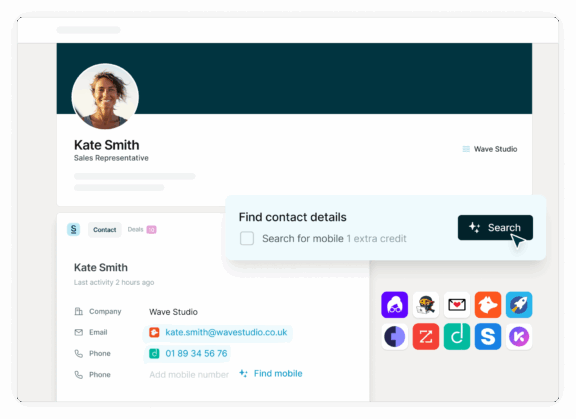
Surfe is a CRM companion you access through a Chrome extension on LinkedIn that turns ad-hoc profile browsing into structured GTM data teams can actually build on. People across the company can create and update contacts, companies, and deals in one click while they’re on LinkedIn, with enrichment (verified emails, phones, firmographics) handled automatically in the background.
Product can create precise ICP or experiment cohorts from LinkedIn, sync them with tags (e.g., segment, beta, pricing test), and then track outcomes or pull those people into interviews and launches. Ops can standardize which fields must be set at creation, keep the CRM continuously enriched, and maintain living target account lists that feed routing rules and playbooks.
Key features and use cases
- Sync LinkedIn conversations and activity: Log messages and key actions from LinkedIn back to CRM timelines.
- Job-change and live buyer signals: Detect when prospects or champions change roles or companies and surface those events as triggers for follow-up, expansion, or reactivation.
- Search and list-building from LinkedIn: Use LinkedIn search to build precise contact and account lists based on role, company, and other filters, then push them into the CRM as segments or target lists.
- API for programmatic enrichment and list-building: Surfe can programmatically enrich records, search for leads, and feed results into your CRM, warehouse, or internal tools.
Pros and cons
Reduces the GTM plumbing you’d otherwise build to capture and enrich LinkedIn data.
Standardizes and enriches records at the point of capture, which lifts CRM data quality.
Offers less flexibility than a fully custom, in-house data capture/enrichment stack.
Introduces another external dependency in your GTM and data infrastructure.
Limited language options, currently available only in English.
Feature limits on Essential plan, forcing upgrades for bulk enrichment or automation.
Pricing
- Free plan
- Essential plan: $39/month. Adds 150 email and 50 mobile credits, full CRM and GSheets integration, message sync, and 100 daily exports from prospecting tools.
- Pro plan: $79/month. Expands to 1,000 email and 100 mobile credits, bulk enrichment, advanced automation, and complete CRM syncing for high-volume sales teams.
7. Xverum: Production‑ready people, company, jobs, and POI data via API
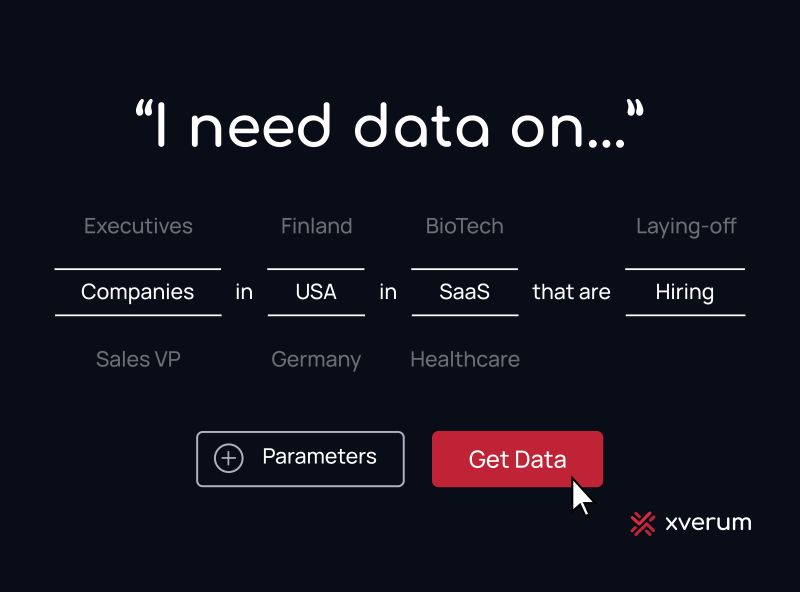
Xverum is a data platform that delivers large‑scale, production‑ready datasets on people, companies, jobs, and locations through a developer‑friendly API. You plug high‑quality external data straight into your product. This means you avoid building your own web‑scraping and cleaning pipelines.
The platform focuses on precision, freshness, and compliance, including GDPR/CCPA‑aligned sourcing and formal data‑processing agreements. You use Xverum as a backbone for user and account enrichment, sales and company intelligence, hiring and job‑market signals, and geo/POI features. Its “inferred data layer” lets you answer higher‑order questions, such as recent role changes or hiring bursts, without writing all the derivation logic yourself.
Key features and use cases
- Rich entity datasets: Structured people, company, jobs, and POI records that are ready to use in production.
- API‑first delivery: Accessible via modern, developer‑friendly APIs designed for easy integration and scale.
- Quality and freshness: Data pipelines focused on accuracy, coverage, and frequent updates to keep records current.
- Compliance by design: Data collection and processing aligned with major privacy regulations to reduce legal and risk overhead.
Pros and cons
Can reduce internal data‑ops load around sourcing, normalizing, and monitoring open‑web data.
Helpful for aligning product, ops, and data teams on a single external data source, simplifying governance and access.
No public pricing or self-serve plan available.
Requires engineering time to integrate and maintain the API within your stack.
Less flexibility if you need very niche or proprietary signals that are not part of their model.
Limited user reviews online, making it hard to verify real-world performance and outcomes.
Pricing
Xverum doesn’t display pricing information publicly, so you’ll need to book a call with their data team. Third-party listings suggest entry-level pricing starts around $300/month and goes up to about $5,000/year, depending on dataset size and refresh frequency. Some directories also mention a free trial, though none of this is verified by Xverum.
8. FullEnrich: Waterfall-based data enrichment for verified B2B contact data
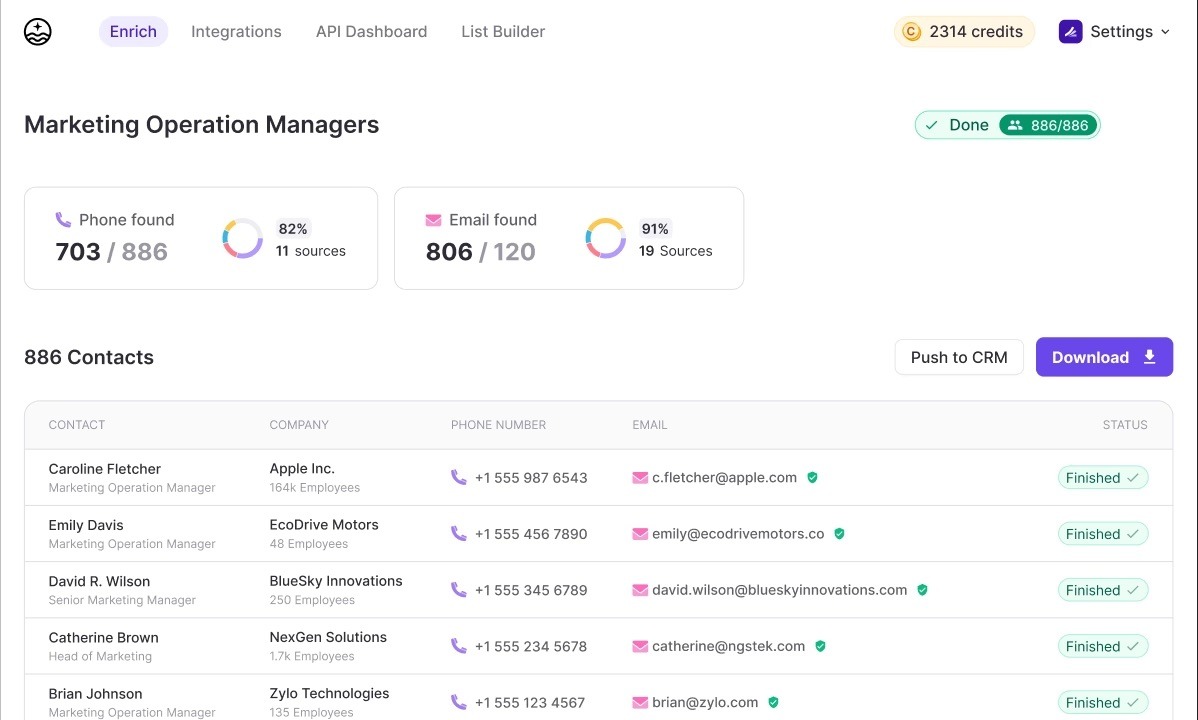
FullEnrich is a B2B “waterfall” enrichment platform that pulls work emails, phone numbers, and firmographic data from 15+ providers. So product teams can embed enrichment directly into sign‑up and in‑app workflows to personalize onboarding, gate higher‑touch sales experiences, and route high‑intent users by role, seniority, company size, or geography.
Ops teams can use FullEnrich to bulk clean and complete CRM records through CSV or integrations, filling in missing contact details and normalizing titles, departments, and company attributes. So lead routing, segmentation, and scoring rules actually work as designed. Plus, data teams can treat FullEnrich as an API‑driven service that feeds enriched contacts and accounts into the warehouse, powering better ICP scoring, cohort analysis, and funnel reporting.
Key features and use cases
- Multi-source data aggregation: Combines multiple premium B2B vendors behind one interface and subscription, so you don’t manage separate tools.
- Dynamic provider selection: Automatically picks the best providers by prospect geo and segment (e.g., different stacks for US vs EMEA/APAC).
- Bulk list enrichment: Supports CSV/Excel uploads and list enrichment from various sources so you can clean or complete large lead lists at once.
- API access for products/tools: REST-style enrichment API so Product and Data teams can embed enrichment directly into apps, workflows, and internal tools.
Pros and cons
More complete, standardized data (titles, company size, region) makes your routing rules and scoring models work better.
Data teams get cleaner, richer firmographics, which leads to more accurate ICP definitions, funnel analysis, and forecasting.
SDRs/AEs spend more time reaching out and selling.
Credit-based pricing can be expensive for high-volume enrichment.
LinkedIn API integration has been discontinued, and API speed can lag on large datasets.
Some users receive private rather than business phone numbers
Occasional manual steps needed for exporting or copying data.
Pricing
- Start plan: $29/month. Includes 500 monthly credits (500 emails or 50 phone numbers), access to 20+ data sources via waterfall enrichment, bulk CSV and API enrichment, with 3-month credit rollover.
- Pro plan: $55/month. Includes 1,000 monthly credits (1,000 emails or 100 phone numbers), all Start plan features.
- Scale plan: Starts at $500/month. Offers custom credit volumes, live company and contact enrichment, dedicated support, and tailored API access for enterprise-level enrichment and automation.
Build on a live people data layer your teams can trust with LoneScale
Most teams exploring alternatives are ultimately looking for live, trustworthy people data they can rely on. They need fast refresh cycles, strong mobile coverage, and clean APIs that plug into CRMs, internal tools, and AI workflows.
LoneScale gives you a live people data layer you can wire straight into your product. Its People Profile API supports live people search and reverse email lookup, returning full contact and company profiles with 99% accuracy in seconds. Waterfall enrichment delivers >94–96% mobile coverage and verified business emails globally, so your workflows can rely on mobiles and emails actually being there.
And with an unlimited job-change dataset on a 24-hour SLA (around 70k contacts refreshed per day), your own features—whether CRM, ATS, dialer, sales tech, or AI SDR—can stay in sync without you owning the scraping, matching, and refresh logic yourself.
You don’t need more leads. You need better ones.
LoneScale filters out the noise so your team focuses only on high-fit, high-intent prospects.
Ready to turn buying signals into revenue?
LoneScale's signal-based orchestration platform helps you identify ready-to-buy prospects and turn them into real opportunities.