
Why integrate a People Finder API into CRMs, products, and systems
Explore how people finder APIs return verified contact data, how accuracy varies by provider, and which tools deliver the cleanest results


Why integrate a People Finder API into CRMs, products, and systems?
CRM data decays faster than most teams realize. About 30% of contact records go stale every year, and job changes alone can affect a quarter of your database.
A people finder API solves this by giving your systems a direct way to retrieve verified emails, mobile numbers, employment data, and social profiles whenever you need them, using clearly defined search criteria and structured requests.
In this article, we look at how a people finder API works and what to check for ahead of integrating one into your product or CRM. We also look at which tools perform best for sales, operations, and product teams, and how they handle data freshness, verification, and compliance.
What is a people finder API and how does it work?
A people finder API gives your CRM or product an automated way to retrieve verified contact information. You send an input such as a name, email, company domain, or role, defined through search criteria and optional multiple filters, and the API queries a live repository to identify the right person.
Most APIs return contact fields such as:
- A verified work email
- A verified mobile number
- Past roles or employment history
- Their current job title and company
- Location or basic professional background
- A link to the person’s LinkedIn or other social profiles
These values are returned in a structured content type, typically JSON, so your system can reliably store, refer to, or act on them.
However, the accuracy of this data depends entirely on the provider. Some tools rely on static databases that are updated infrequently. Others, like LoneScale’s People Finder API, use real-time indexing, verification checks, and daily refresh cycles to keep results current.
LoneScale’s live dataset is refreshed daily and validated at multiple points, and their people data reports accuracy levels of up to 99% for core fields in recent tests.
This level of verification directly affects the accuracy of the returned information gives you the confidence to enrich or outreach.
Is using a people search API compliant with GDPR, CCPA, and other data privacy regulations?
Using a people search API can be compliant with GDPR, CCPA, and similar privacy laws. It is not automatically compliant just because the API exists. Compliance depends on how the provider sources its data and how your company collects, uses, stores, and shares that data inside your own systems.
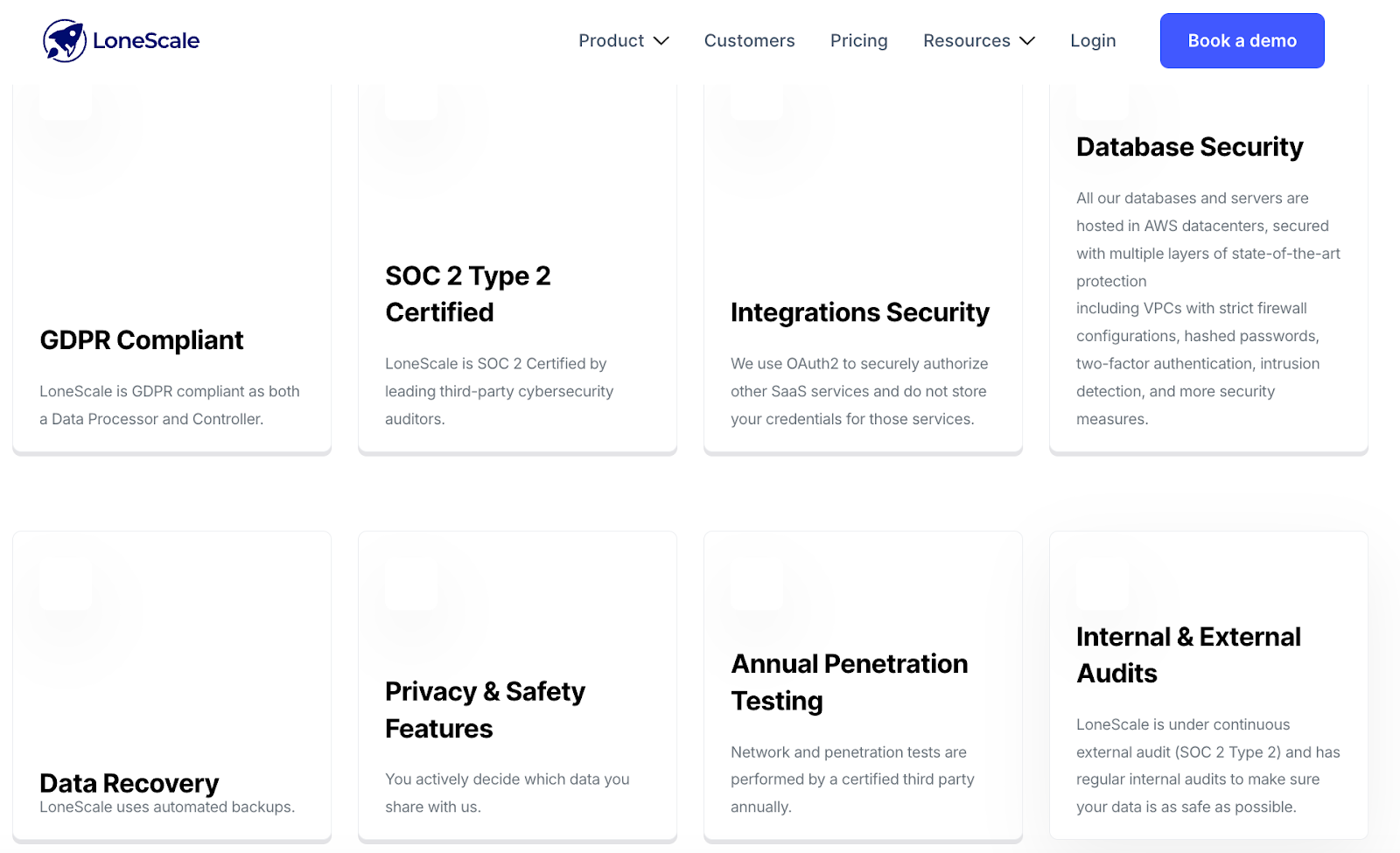
LoneScale publicly commits to GDPR compliance as both a data controller and processor. It is SOC 2 Type 2 certified, uses OAuth2 for secure integrations, encrypts all databases hosted in AWS, performs annual third-party penetration testing, and undergoes continuous external audits.
These safeguards ensure that any people data delivered through LoneScale is processed in a secure and privacy-aligned way before it reaches your CRM.
What are the benefits of a people search API?
A people search API strengthens your CRM or product by automating how you find, update, and enrich contact data. Here are three clear benefits.
Saves time by eliminating manual research
The moment a new record enters your system, the API retrieves verified details such as role, company, and contact information and fills them in automatically. This turns what used to be a slow, multistep task into a part of your workflow. Teams gain hours back each week because they can move straight to qualification, outreach, or analysis with complete profiles already in place.
Improves targeting and accelerates revenue growth
A people search API gives your team clarity on who to engage by supplying structured details such as role, seniority, department, industry, and company attributes. With this information, your team identifies ICP-fit contacts and builds outreach lists with a higher concentration of relevant prospects. The added context helps with ABM targeting, outbound programs, and ensures campaigns reach people who are more likely to convert.
Verification and maintenance of clean data systems
Clean, reliable data comes from systems that can verify information continuously. A people search API supports this by checking contacts against fresh, structured sources and updating records when job titles, employers, or contact details change.
It also fills missing fields and reduces duplicate entries, which keeps your CRM accurate and stable over time. With verified data in place, your scoring, routing, reporting, and automations perform reliably, and teams can trust the information guiding their decisions.
How does a people search API work?
The general people search API workflow looks like this:
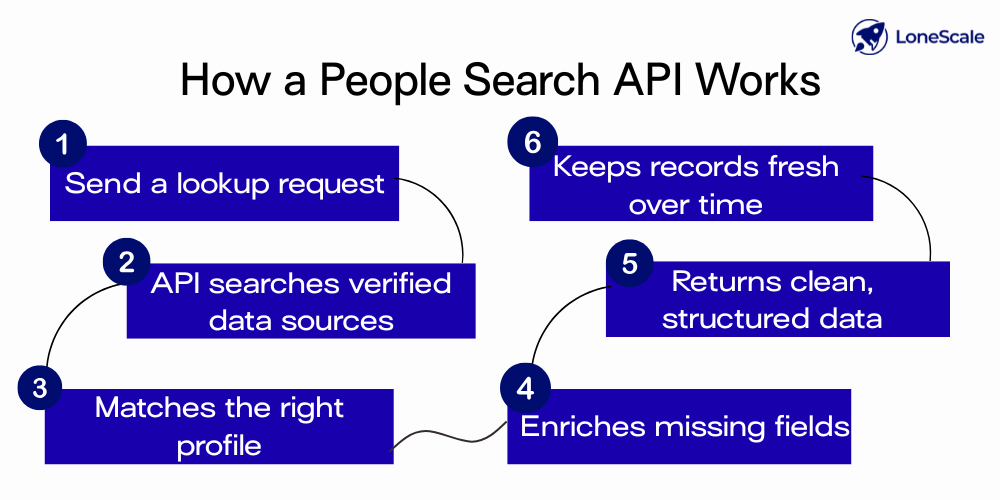
1. Your system submits a query: Your CRM or product sends a request to the API with whatever information you have, such as a name, email address, company domain, or a set of filter objects like “Marketing Manager in the US.” This request usually happens over a secure HTTPS call and includes a unique API key, which acts as a secure digital signature to authenticate your system and authorize the search.
2. The API searches across multiple live data sources: Behind the scenes, the API checks your query against a live dataset. Because the system allows you to combine multiple filters—such as role, location, company, or seniority—teams can control exactly how broadly or narrowly search results are returned. This flexibility allows the system to find the best possible match, even when the initial input is incomplete.
3. Matching logic identifies the correct person: The people API compares signals, like names, domains, job titles, and locations, and uses exact matches or confidence scoring to pinpoint the right profile. If there are several potential matches, the API selects the one with the highest confidence rating.
4. The API enriches the profile with structured data: Once the match is confirmed, the API assembles all the relevant fields associated with that person. This often includes:
- Job title and employer
- Email addresses
- Phone numbers
- Social profile links
- Employment history
- Location and other professional attributes
5. Data is cleaned, validated, and normalized: The API formats phone numbers, standardizes job titles, removes duplicates, and validates email structures. This ensures the final output is consistent and ready for your CRM.
6. The response returns to your system in a structured format: Your CRM or product receives a clean JSON response with the enriched data. From here, your system can store it, use it to update an existing record, trigger workflows, or qualify a lead.
7. Automatic re-enrichment keeps data fresh: Some APIs monitor changes (like job moves or new email addresses) and can refresh your records automatically on a schedule. This prevents data decay and keeps your CRM current without manual updates.
Now that you know how a people search API works, it’s easier to evaluate which tools deliver this process reliably. Let’s look at our top picks.
5 Best people search APIs for salespeople and teams
We compared people search APIs against criteria like data accuracy and refresh frequency, enrichment fields, verification reliability, and CRM integration quality.
We also reviewed pricing, scalability, match rates, and security practices to understand how well each tool performs in real sales environments. Based on this analysis, let’s look at the top five people search APIs.
1. LoneScale
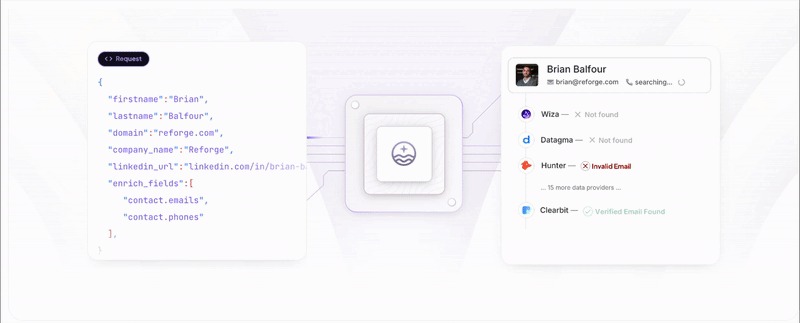
LoneScale’s waterfall enrichment pipeline returns a clean profile summary through one API endpoint
LoneScale’s FullEnrich API gives sales teams and platforms a unified way to source emails, mobile numbers, and complete contact profiles through a single enrichment pipeline. It centralizes enrichment across 20+ global providers and applies intelligent routing, triple verification, and advanced phone validation to return accurate, high-confidence results.
Its infrastructure is built for scale, its uptime is engineered for reliability, and its compliance certifications (SOC 2 Type II, GDPR, CCPA) make it suitable for enterprise-grade workflows.
Key features:
- Live people search by job title, persona, or company
- Reverse email lookup that returns full contact and company profiles
- Real-time accuracy with results pulled in seconds
- Waterfall enrichment with up to 98% mobile phone coverage
- Verified business emails sourced across 25+ global providers
- Global reach across the US, EMEA, LATAM, and APAC regions
- Daily job-change detection with tens of thousands of updates per day
- Automatic CRM refresh workflows with a 24-hour SLA for outdated records
- AI research agents to support with prospecting at scale
- Built-in data quality checks, including triple verification, catch-all detection, and advanced phone validation
- Enterprise-ready infrastructure offering 99 percent uptime, SOC 2 Type II compliance, GDPR/CCPA alignment, encrypted data handling, and ongoing penetration testing
Pricing
2. People Data Labs
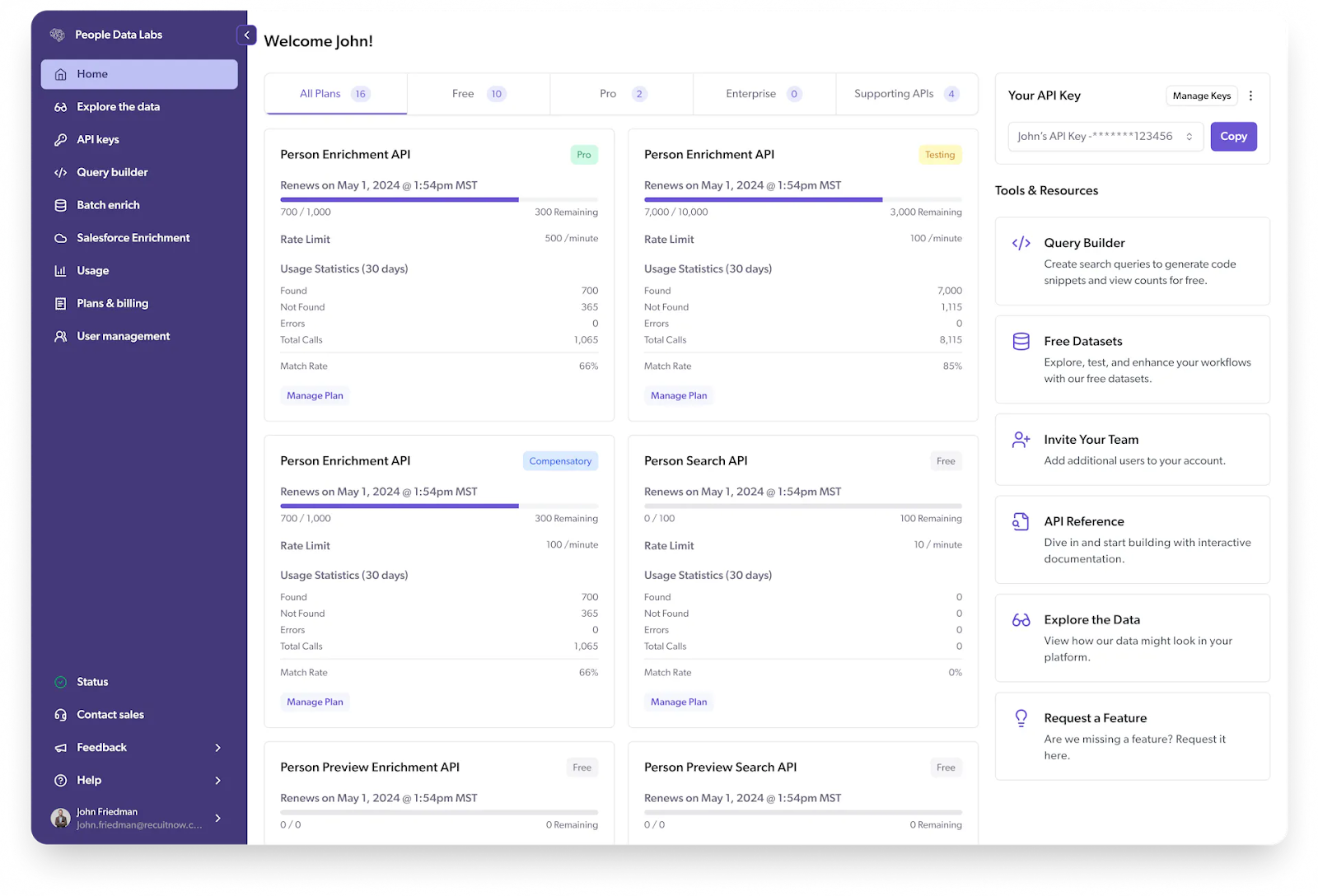
People Data Labs offers a Person Search API that locates profiles based on attributes like role, employer, seniority, skills, or location. Unlike tools focused on waterfall sourcing or signal-based enrichment, PDL’s strength is dataset depth. The Person Enrichment API returns structured profile fields drawn from millions of records, including work history, education, social URLs, and demographic details.
Key features:
- Pay-per-match pricing with predictable cost control
- Bulk enrichment endpoints for high-volume operations
- Low-latency responses built to support real-time workflows
- Identify API that connects emails or handles to full PDL profiles
- Enterprise-grade security and compliance with privacy controls
Pricing
3. Crustdata
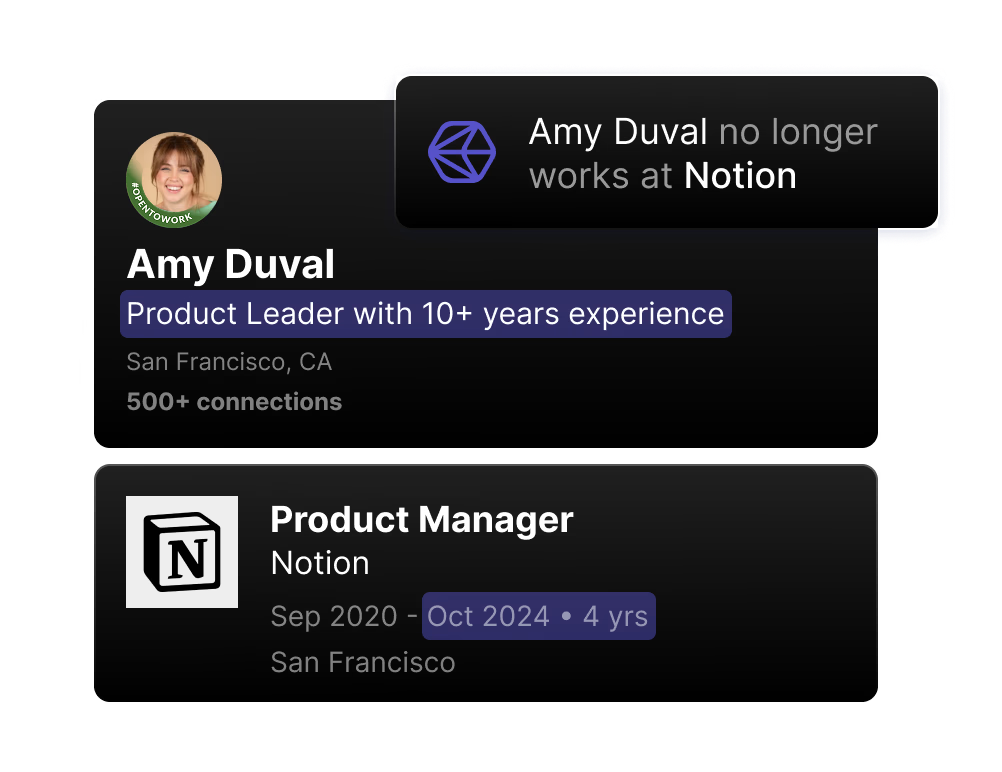
Crustdata job-change signals
Crustdata’s person finder APIs include the people discovery/list building API for generating targeted lists, the People Search API for finding individuals using 60+ attributes, and the People enrichment API for returning detailed person profiles with 90+ data points. It is a great choice for AI agents, GTM tools, and recruiting platforms.
Key features:
- Multi-signal data sourcing from 16+ live web sources
- Bulk API endpoints for large-scale list building and enrichment
- Supports AI-SDR and agent workflows requiring live profile retrieval
- Flexible match modes, choose real-time enrichment or cached dataset
- Nested and multi-attribute filters for targeting and persona matching
- Webhook-based “watch” features for tracking job changes and other profile updates
Pricing
Crustdata does not publish detailed per-API or per-credit pricing publicly. The platform uses a credit-based API model, with higher-volume or enterprise plans available only through “talk to sales.”
In a Reddit discussion, a Crustdata founder mentioned that at low volumes, credits may cost around $0.025, with company enrichment costing 1 credit and specific person enrichment costing 3 credits.
Other third-party sources suggest that paid plans typically start around the $95/month range, with enterprise plans negotiated individually.
4. Live Data Technologies
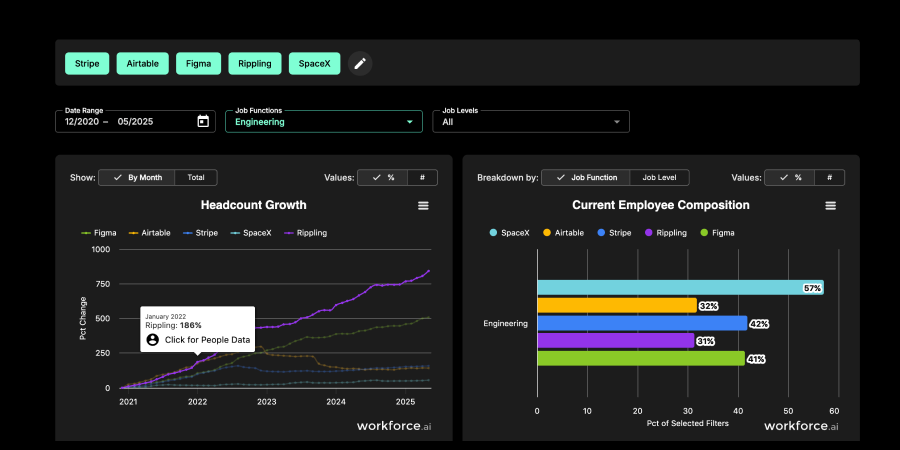
Live Data Technologies dashboard shows headcount trends and current employee composition
Live Data Technologies provides a workforce data API that acts as a people-finder for employment intelligence for identifying where professionals currently work and when they change roles. Through its contact data API, teams can query a person or company and receive verified current titles, job-change events, past roles, and employment timelines.
Key features:
- Continuous employment verification, performing 300M+ checks monthly
- Live people-finder behavior, returning accurate present employer data for known or discoverable contacts
- Search by identifiers or company, retrieving all people who recently joined, left, or moved internally
- Webhook triggers such as “Contact Job Change Detected” for automation workflows
- Support for GTM routing, enrichment, analytics, recruiting, and talent-flow intelligence
- Flexible integrations, including Zapier, internal tools, CRMs, and bulk enrichment pipelines
Pricing
5. CoreSignal
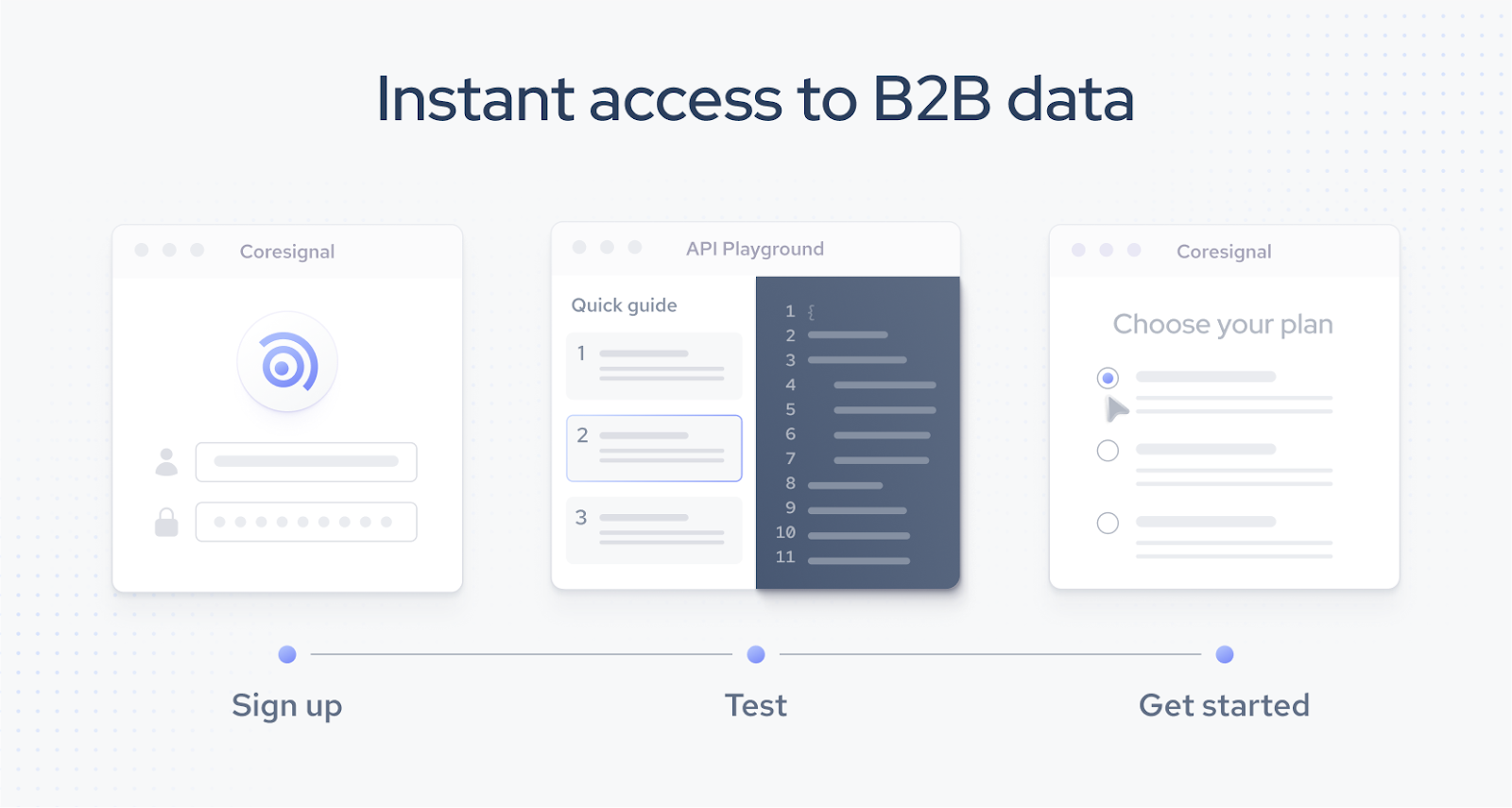
CoreSignal’s Employee Data API, lets you search and retrieve professional profiles from its refreshed employee repository, and the API allows you to find people based on structured filters and then pull detailed profile data for enrichment, analytics, or list building.
Key features:
- 250+ profile fields include name, location, experience, job history, education, skills, social URLs, and other professional metadata.
- Elasticsearch-powered filtering supports complex searches with nested filters, boolean logic, and an AI query builder that turns natural language into search queries.
- Access professional records through the API or bulk datasets for internal modeling or analytics
- Profile update tracking shows when parts of a profile changed (title, company, skills, etc.), useful for enrichment or segmentation workflows.
Pricing
Get better data, faster
You need an API that returns verified information, updates records as profiles change, and removes manual work from your CRM.
LoneScale is built for teams that need those fundamentals handled automatically:
- CRM Enrichment & Hygiene fills Salesforce and HubSpot with accurate contacts in 1-click and keeps those records clean over time
- Lead & Signal Intelligence auto-enriches inbound leads, turns emails into complete B2B profiles, and tracks job changes across your target accounts
- Waterfall Enrichment pulls data from 25+ providers through a single API so you don’t manage vendors or deal with inconsistent results
- AI Research Agents generate structured, CRM-ready person and account profiles without manual research
If your goal is fast, reliable, continuously updated people data that improves your CRM, LoneScale gives you the most direct path to get there.

Why integrate a People Finder API into CRMs, products, and systems

How to connect Salesforce to LinkedIn for contact creation and enrichment
.png)
Your guide to waterfall enrichment: Process and best practices

.png)



Top 10 Sales Automation Tools for B2B Teams

Prospect smarter with live stakeholder mapping
One click in Salesforce reveals the entire verified buying committee with accurate contact details and keep stakeholders up-to-date. It’s not just “updated often” — it’s actually live.